
At a hotel you encounter the Wi-Fi menu. There are two similar networks, one named Free and the other ending in Guest. Which one is legitimate and does it even matter if a VPN is in use?
Is public Wi-Fi safe?
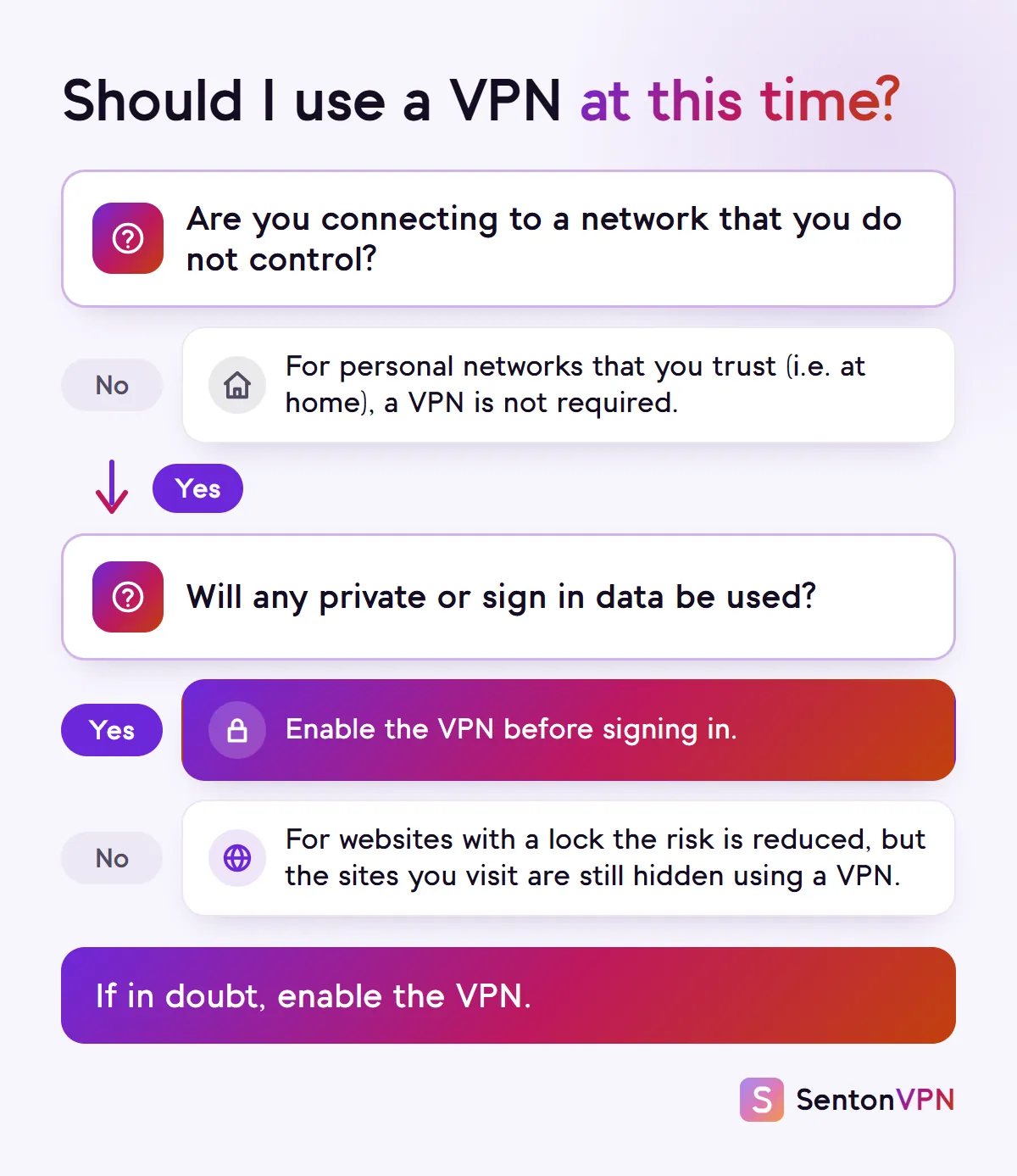
Generally speaking yes. According to the FTC, encryption is now commonplace on most websites. This means that using a public network is generally safe. If a lock appears in the address bar then all data typed into that page will be encrypted when being sent to the website.
- On encrypted websites, encryption helps secure your card details and passwords
- It can help secure the data on the websites you visit
- It can also help secure data within encrypted messaging applications using end to end encryption
However, this does not mean that no data is observed over the network. The FTC has also highlighted the issue of malicious actors creating fake websites and encrypting them as well. A lock will indicate privacy over the network but not necessarily that the website is trustworthy.

The dangers of public Wi-Fi that HTTPS does not fix
Fake hotspots
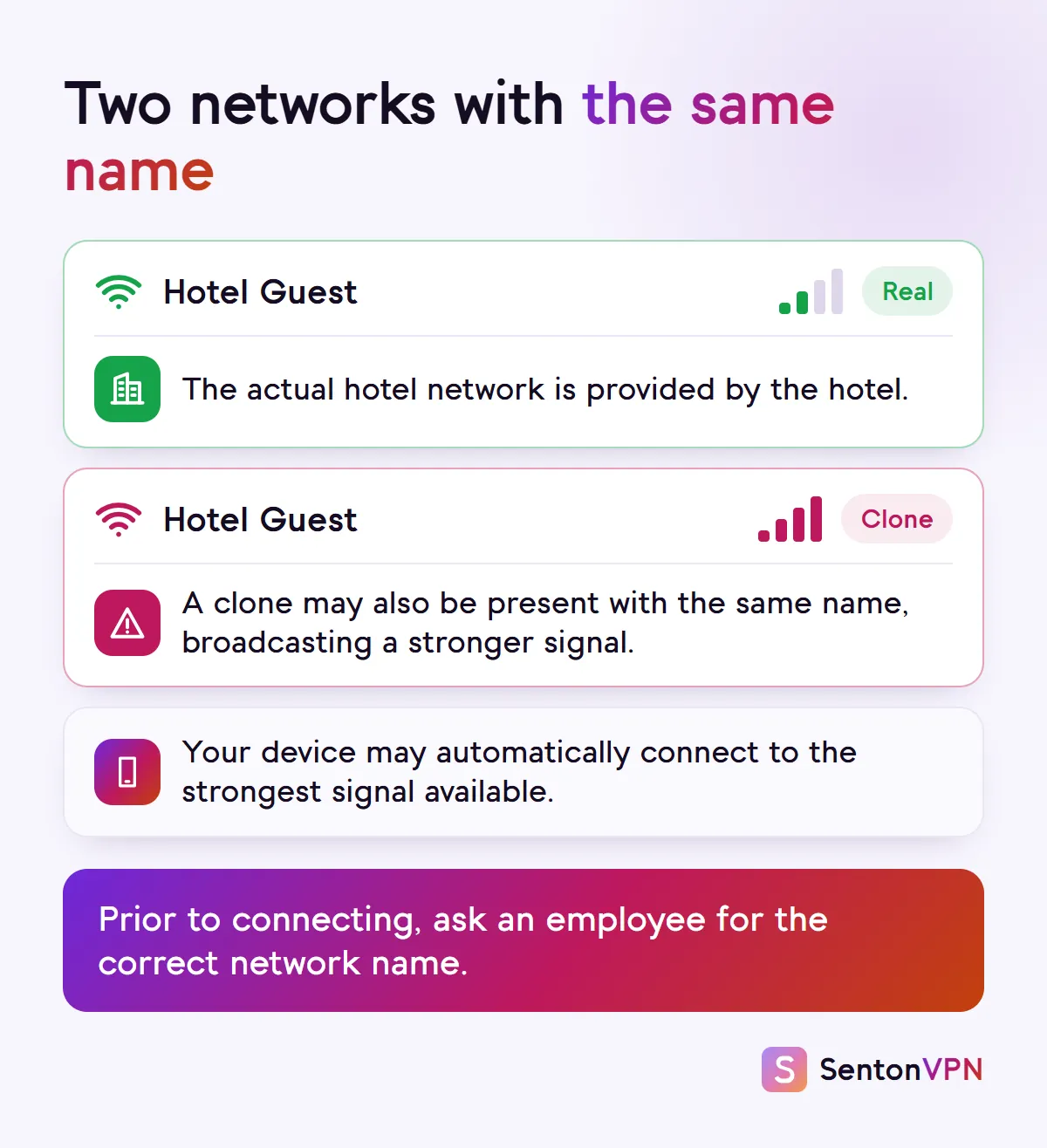
Malicious actors can create a network with a similar or identical name to a legitimate network and may also provide a higher signal. This would allow the malicious network to observe the data sent over it that is not encrypted.
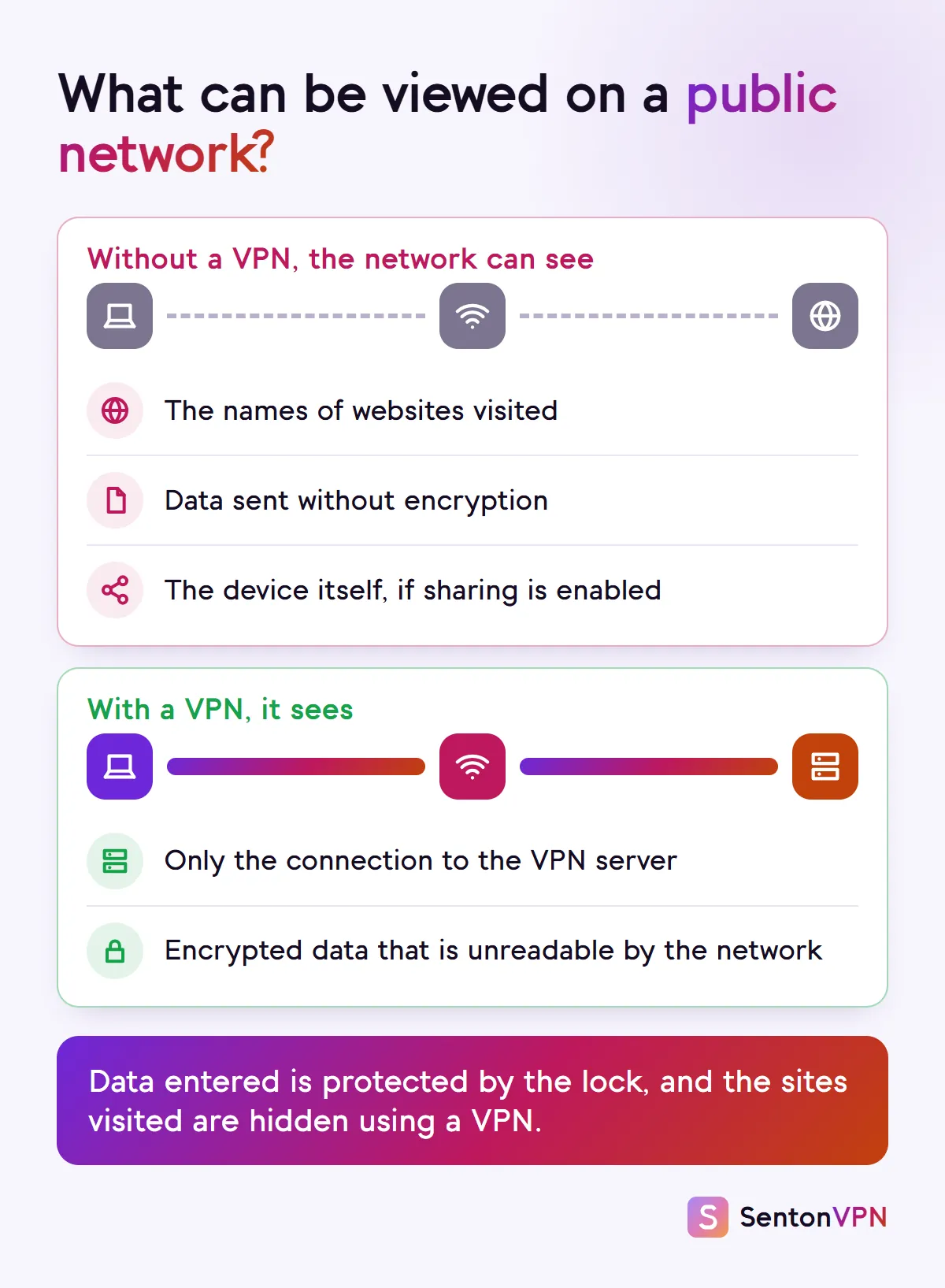
Site names on show
When connecting to a website the site name may be visible at the time of connection and also many devices will send the address of the website in plain text. This would allow the network to observe which website you visit.
Unencrypted apps
Some websites and applications may still transmit data without encryption and this may allow other users on the network to observe this data.
Sharing left on
If file sharing is enabled then other users on the same network may be able to observe the device and any shared folders.
Do VPNs protect you on public Wi-Fi?
Yes, regarding the risk posed by the network. A VPN encrypts your data before it leaves your device and passes through the hotspot. This means the network and any observers will only see a connection to the VPN server and little else.
What a VPN covers
- Hides the visited websites from the network
- Provides security for data from applications which do not offer their own encryption
- Provides security for data through a rogue hotspot which will only see your encrypted tunnel
What a VPN does not cover
- Does not provide protection from phishing or scam websites. These are still visited by you
- Does not provide security from malware in applications or files that you install or download yourself
- Logins to accounts still identify you
- Your browser fingerprint is read within the browser and remains unchanged
Is hotel Wi-Fi safe?
Hotel networks pose the same risk as all public networks but have some unique issues. Many use one password for all guests. This keeps strangers away from the network but does not prevent other guests from accessing the network using the same password. Some login pages may request a surname or room number. This is acceptable but should not request card information or require any installation from the user.
- Request the correct network name from reception prior to connecting
- Only use the hotel login page for the information required for room details
- After passing the login page activate your VPN
- If possible use your phone hotspot for banking operations

What the FTC, CISA and NSA advise
- US Federal Trade Commission: encrypted websites on public Wi-Fi are generally considered safe. Users are recommended to look for the lock symbol, to use strong passwords combined with two factor authentication, to keep software up to date and be aware of phishing attacks
- US Cybersecurity and Infrastructure Security Agency: recommends verifying the hotspot name and password prior to connecting to the network, and refraining from enabling file sharing over public Wi-Fi
- US National Security Agency: recommends refraining from using public Wi-Fi if possible and using a personal mobile hotspot instead. If public Wi-Fi must be used, the agency recommends using a VPN and turning off Bluetooth, NFC and Wi-Fi when not in use
How to use public Wi-Fi safely
 1Wi-FiHotel GuestHotel GuestFree Wi-FiStep 1Check the network nameEnsure the name and password for the network are confirmed by staff. Also, do not select a network purely based on "free" in the network name or strongest signal available.
 2Network profilePublicPrivateStep 2Mark the network as publicOn Windows, ensure the network profile is set to Public which turns off file sharing between devices and hides the PC from other devices.
 3
3 Senton VPNConnectedStep 3Connect your VPNAfter any login page but prior to logging in, connect a VPN.
 4Not secureGo backStep 4Heed browser warningsIf a page is received without encryption or a certificate warning appears in the browser, do not continue and exit the page.
 5Sign-in code4829Step 5Keep logins strongUsing strong passwords and two factor authentication ensures that a stolen password is not sufficient.
 6BluetoothNFCWi-FiStep 6Switch off what you don't useAs recommended by the NSA, turn off Bluetooth, NFC and Wi-Fi when not in use.
 7Hotel GuestForget this networkStep 7Forget the networkUpon exit, remove the network from the device so the device will not automatically connect to any other network with the same name in the future.
Before you join a network, ask yourself:
- Has this exact network name been confirmed by staff?
- Is there another network with a similar name?
- Does the login page require any information in addition to what is needed?
- Is the VPN configured to connect once online?
- Could this wait until I can use my phone hotspot?
If any of these cause concern then switch to using mobile data.

How Senton helps on public Wi-Fi
- Senton VPN: our app encrypts data between your device and our server for the Chrome extension (browser traffic) and for the Android app
- With Auto Connect, the moment you turn on the VPN you will be connected to your chosen server. There is no additional step to take prior to logging into any service on cafe or hotel Wi-Fi
- Kill Switch prevents supported data from passing if the VPN connection drops, on Android and in the Chrome extension
- Safeweb blocks known advertising, tracking and malicious domains on Android and in Chrome (browser traffic)
The bottom line
- Browsing over public Wi-Fi on encrypted sites is generally safe, but still reveals significant information to the network
- Using a VPN prevents this visibility to the network and limits the impact of rogue hotspots
- A VPN does not, however, eliminate due diligence around logins, downloads, links and ads