
You clear your cookies, open a private browsing window and turn on a VPN, then the next day you see an ad for shoes on a news site you have never visited. You were not identified using any information that had been cleared. You were identified using information about your browser on every page you visit.
What is browser fingerprinting?
What identified you was browser fingerprinting. No individual piece of information can be used to identify a user, but a combination of dozens of pieces of information can be rare enough to allow a specific user to be identified from a few million users.
- No file or cookie is stored on your device
- There is nothing to clear because nothing has been stored
- It also works with a VPN and in private browsing windows
What goes into a browser fingerprint
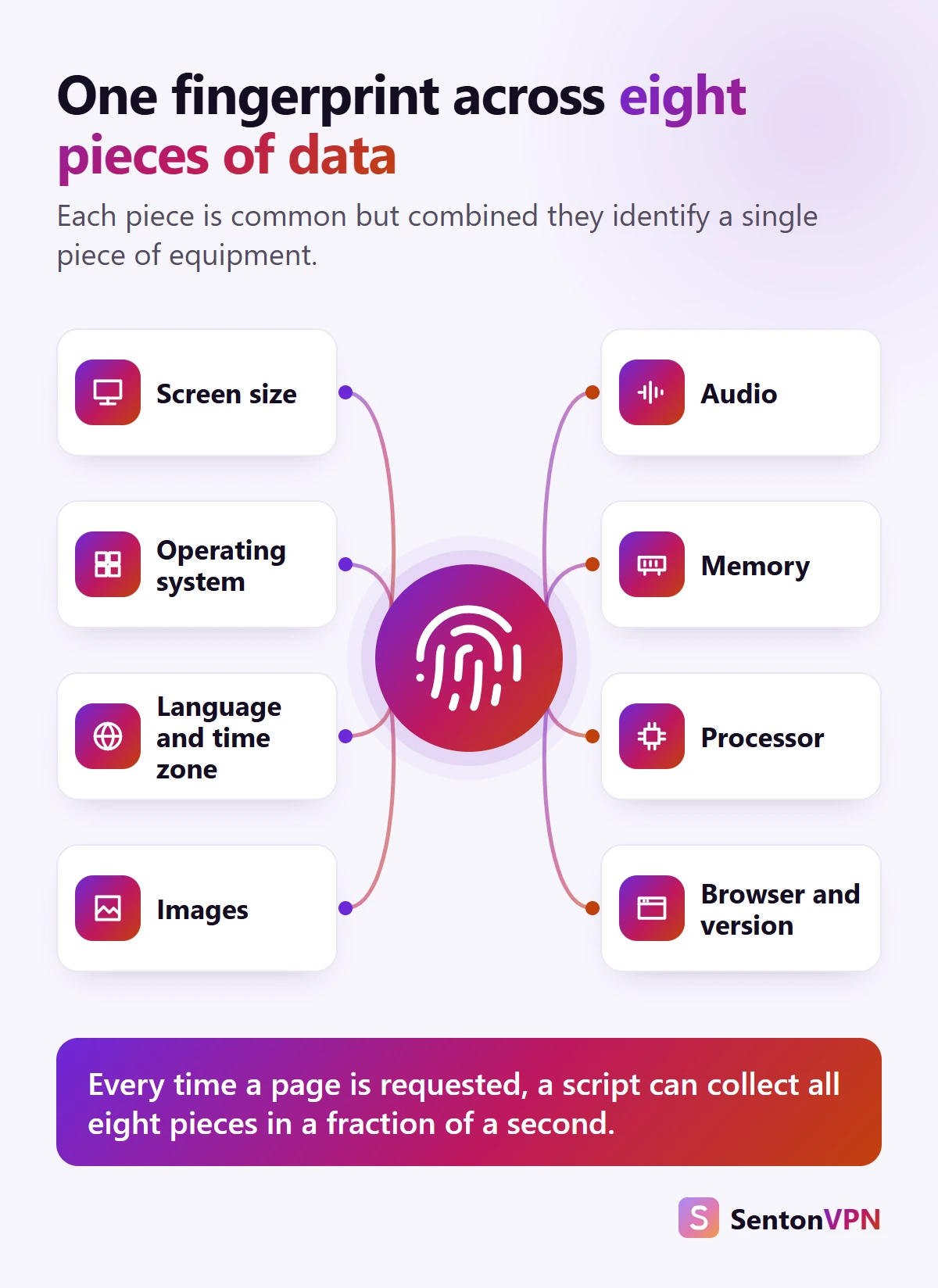
Every time a page loads, information is sent from your browser to the website. The information includes:
- Browser and version: name and version of the browser
- Operating system: Windows, macOS, Android or iOS
- Languages and time zones: languages you prefer and time zone of your device
- Hardware: core count and approximately available memory
- Screen: size of screen and whether or not it supports touch
The quieter tests
- Graphics (canvas fingerprinting): a hidden 3D graphic or image is drawn and the output is measured
- Sound: a small piece of sound is played and the output is measured
- Fonts: the width of a string of text in dozens of different fonts is measured to determine which fonts are available on the device
The information in these tests is unlikely to be exactly the same across two laptops due to slight differences in graphics cards, drivers and font smoothing. Developers, designers and users of a relatively unusual application may have fonts that few other users have, and each of these fonts further reduces the number of potential users.

How does browser fingerprinting work?
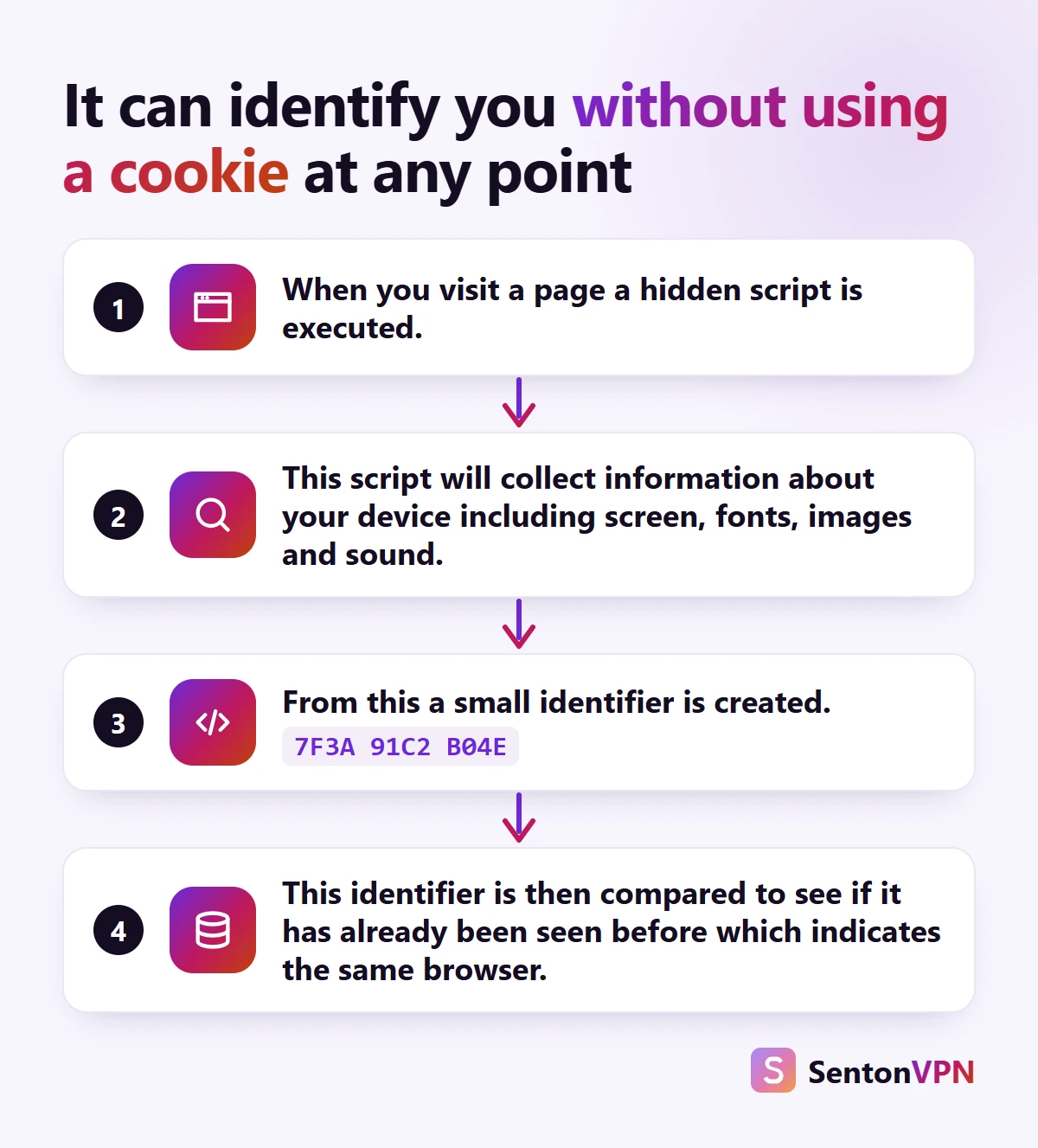
This information is quickly collected and used to generate a short code based on that information. This code is sent to a server and matched to previously generated codes. A match would indicate that the user is very likely to be the same browser, even with a new IP address, cookies, or in a private browsing window.
How unique is your browser fingerprint?
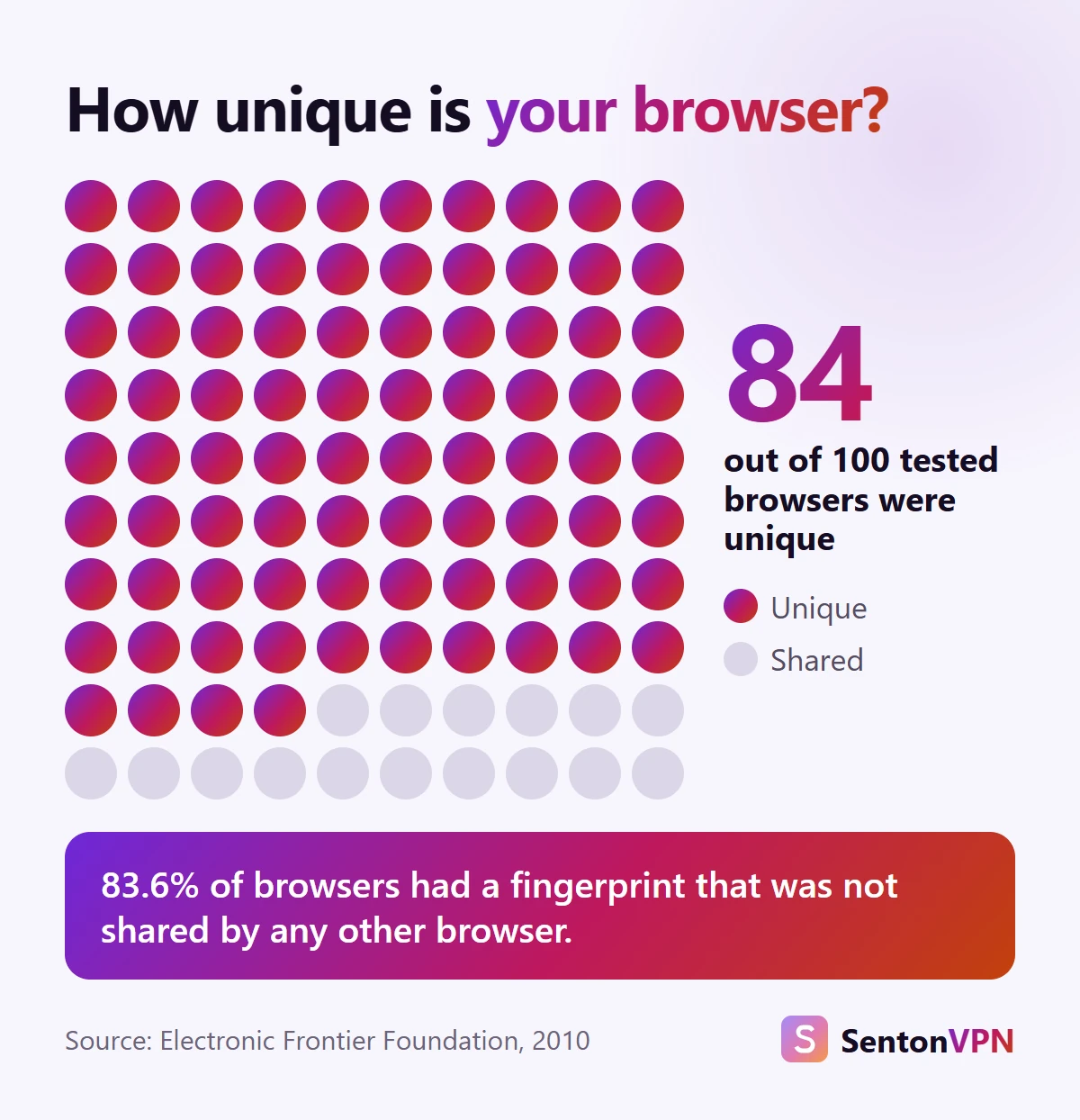
In 2010 the Electronic Frontier Foundation collected browser fingerprints from browsers visiting their test page. They found that:
- 83.6% of browsers had a unique fingerprint
- 94.2% of browsers that used Java or Flash had a unique fingerprint
- At best, only 1 in 286,777 browsers would share a given browser's fingerprint
Browsers have changed since then. Flash support has been removed and some vendors also filter or distort information. However, browser fingerprinting has not gone away. Instead, fingerprinting focuses on information that is more difficult to disable or filter without breaking a large number of sites, such as screen size, sound handling and 3D rendering.
Browser fingerprinting vs cookies
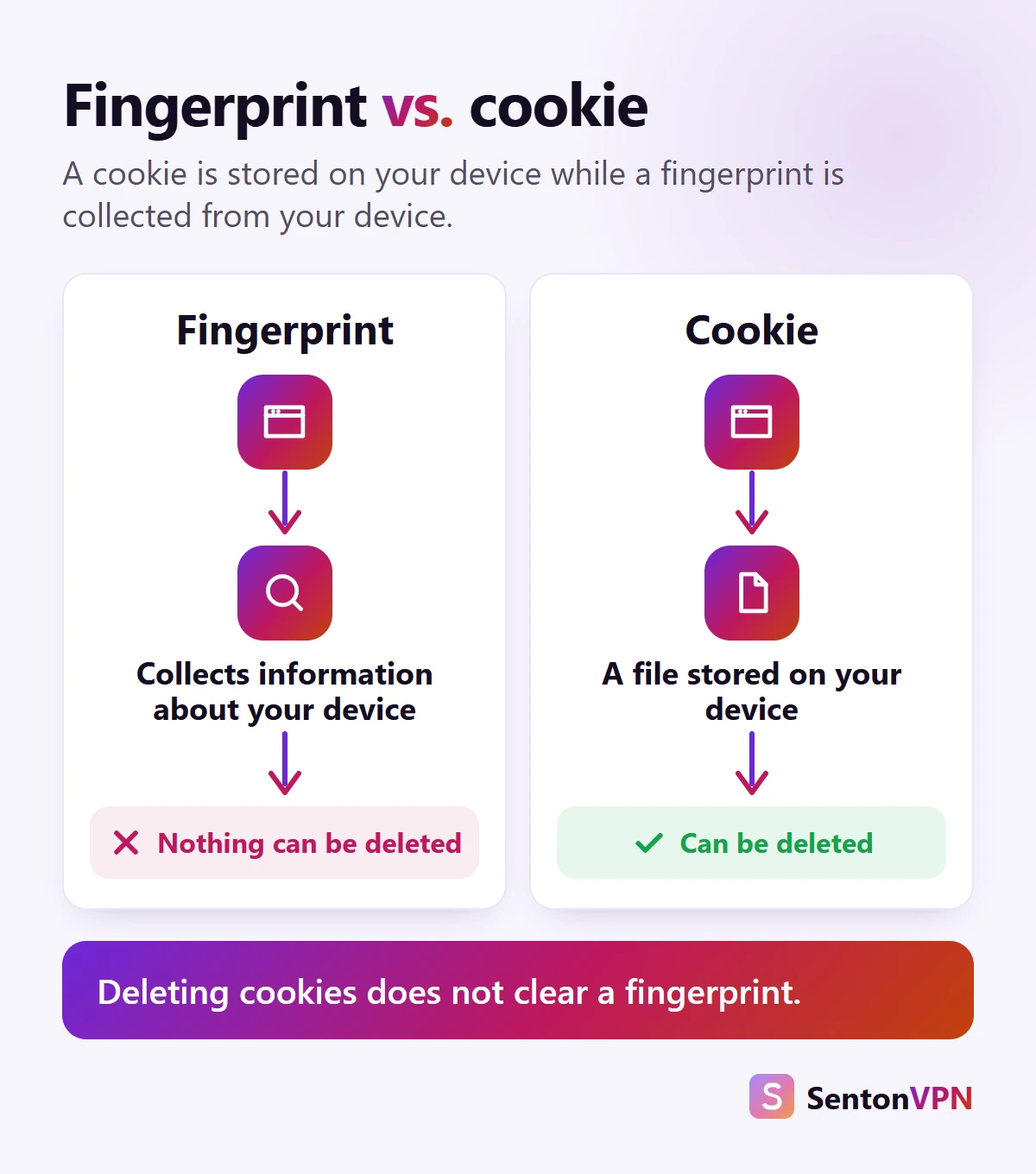
Cookies are deployed by a website to the user's browser. They can be blocked, viewed and deleted. However, a browser fingerprint is generated in real time using information that is already available about the user's device. No information is stored, so there is nothing to clear.
Who uses fingerprinting, and why
Helpful uses
- Online retailers and banks detect fraud, such as logins from devices new to an account
- Sign-up forms and ticket sellers use it to tell real users from bots
The tracking problem
- Data and advertising companies can use the same browser fingerprinting code on thousands of websites
- They can track a single browser across all of these sites
- They can create an interest profile without using a cookie

Can a VPN stop browser fingerprinting?
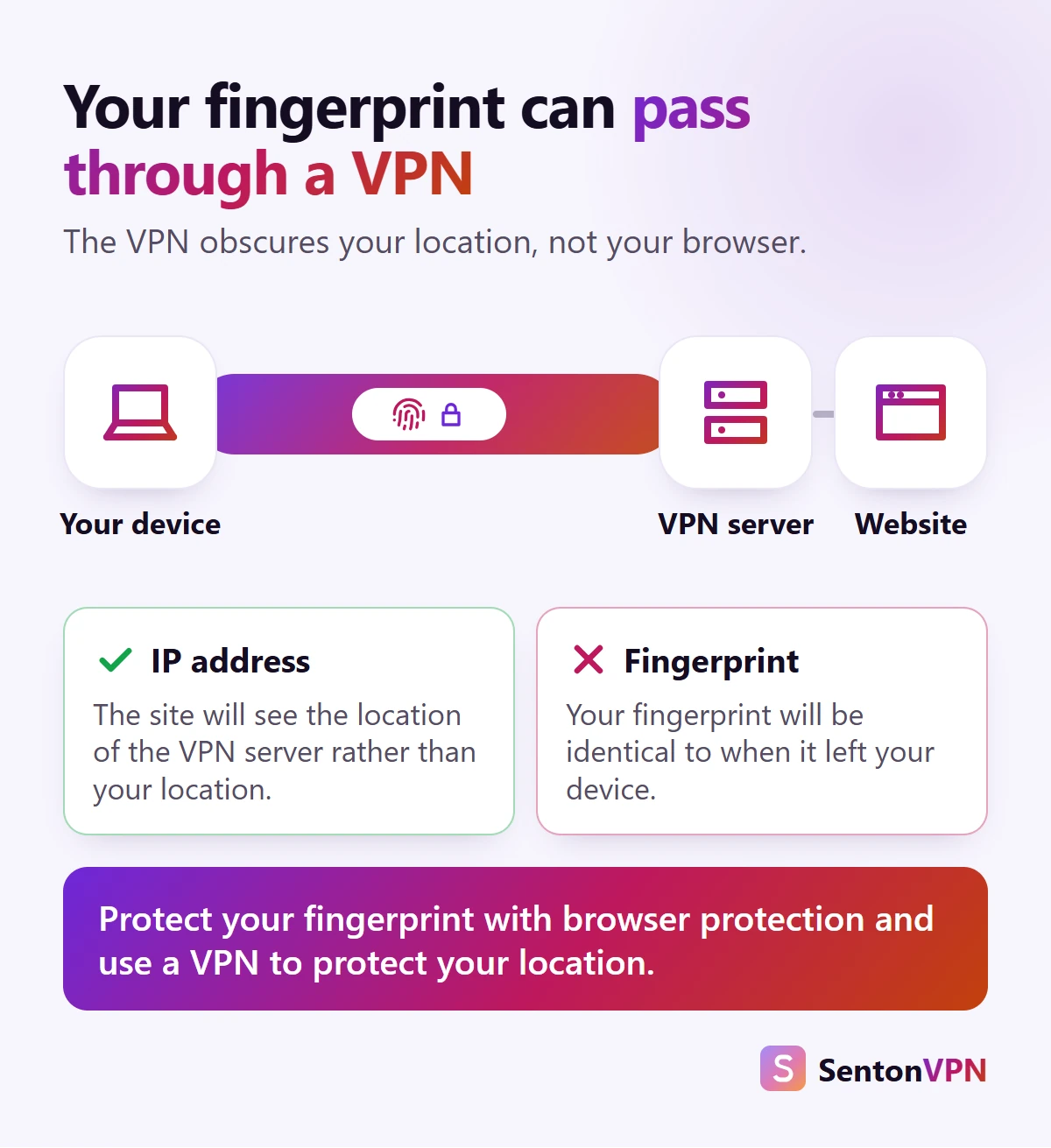
This is where expectations of a VPN fail. A VPN routes your traffic through an encrypted connection to a remote server. The websites you visit see the IP address of the remote server instead of your own, and your local network does not see where you are going.
What a VPN changes
- Your IP address, which is replaced with the address of the remote server
- What your local network or Wi-Fi can see
What does not change
- Your screen size and installed fonts
- Your graphics card's handling of a hidden image
- Your browser's version
- Your time zone and language information
Where Senton VPN fits
- Senton VPN replaces your IP address with the address of the remote server you select, which removes that one piece of fingerprinting information from trackers
- Your browsing is hidden from your local network
- Safeweb blocks requests to known tracking domains covered by its rules, so a fingerprinting script served by one of these companies may not load
- Neither one can rewrite any information about your browser, so the settings below still matter

Does incognito or private browsing stop fingerprinting?
Private or incognito browsing is not as effective as it is given credit for. When a private browsing session ends, cookies and browsing history are cleared. However, in many browsers device information remains, and so does the fingerprint.
- Safari has implemented advanced fingerprinting protection in private browsing sessions by default
- Firefox has implemented protection against suspected fingerprinting in private browsing sessions
- In most other browsers cookies are cleared but not the fingerprint
Which anti fingerprint browser protects you best?
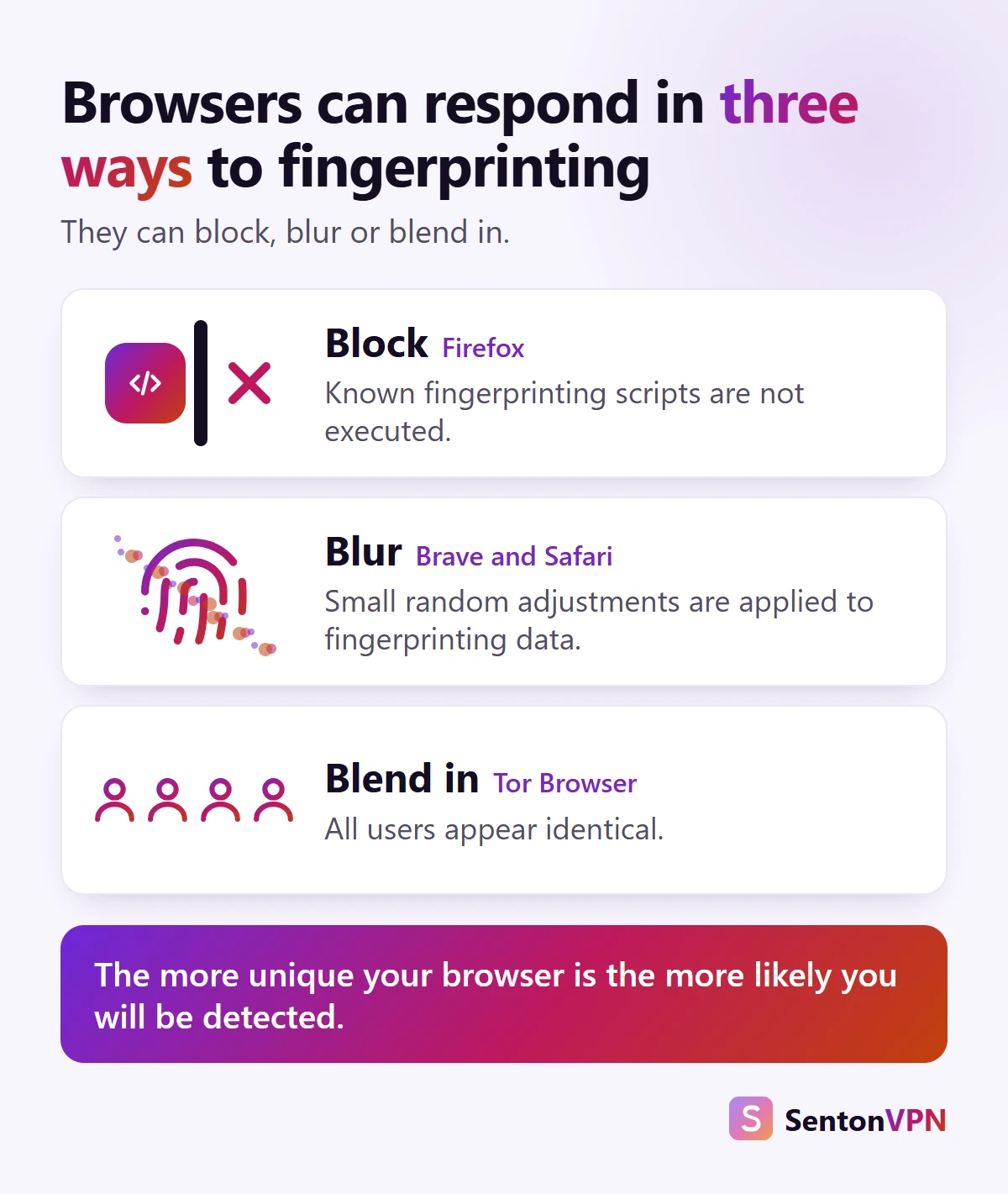
- Firefox: blocks requests to companies known to use fingerprinting. The list of these companies is provided by Disconnect. In November 2025 Mozilla announced recent changes had reduced the number of Firefox users trackable by fingerprinters by half
- Safari: adds some noise to graphics drawn and sound played, and reports some screen measurements as fixed values. On iPhone and iPad it can cover all browsing, under Advanced in the Safari settings
- Brave: adds randomness to many values per site and per session, in a way that users cannot notice but scripts cannot rely on
- Tor Browser: makes all users look the same, even rounding the size of the window to the nearest standard window size
How to prevent browser fingerprinting
How to block browser fingerprinting
- Keep your browser up to date, as current versions of browsers are the most common
- Turn on your browser's own fingerprinting protection
- Only install add-ons that you need
- Block tracking scripts so that they do not run
- Use a different browser or profile for accounts that you keep separate
- Avoid customisation and unusual fonts
- Remember that signing in identifies a user more reliably than a fingerprint can
Accounts are the most telling information. For low risk account creation, Senton's Mask ID provides a masked email address, so separate accounts are not all tied to your real email address. For more on what a VPN covers once you are signed in, see does a VPN hide your search history.

How to check your browser fingerprint
To see what information your browser provides, use the free test offered by the Electronic Frontier Foundation called Cover Your Tracks. It shows what fingerprinting scripts can see about your browser and how unique your combination is. This makes it a quick way to see if a change you have made has been effective.
Is browser fingerprinting legal?
It can vary by region:
- United Kingdom: the UK regulator treats browser fingerprinting like cookies. A business must provide a choice and, where appropriate, obtain consent
- European Union: regulators in the EU have taken a similar approach, so using information from a user's device in this way is covered by cookie regulations
- United States: There is no single federal privacy law in the United States that covers all businesses. There are, however, some federal factors that come into play. Unfair or deceptive tracking can be addressed by the Federal Trade Commission, and a persistent identifier that recognises a user across websites is considered personal information under the child privacy rule, COPPA. Some state laws, like California's, also address identifiers that are used to identify an individual or device
The bottom line
- A browser fingerprint can be used by websites without any information being stored about you
- A VPN can hide your IP address but will leave your fingerprint the same
- Your browser, its settings and the scripts that you allow to run determine the rest