
VPN kill switch for the moment your connection drops.
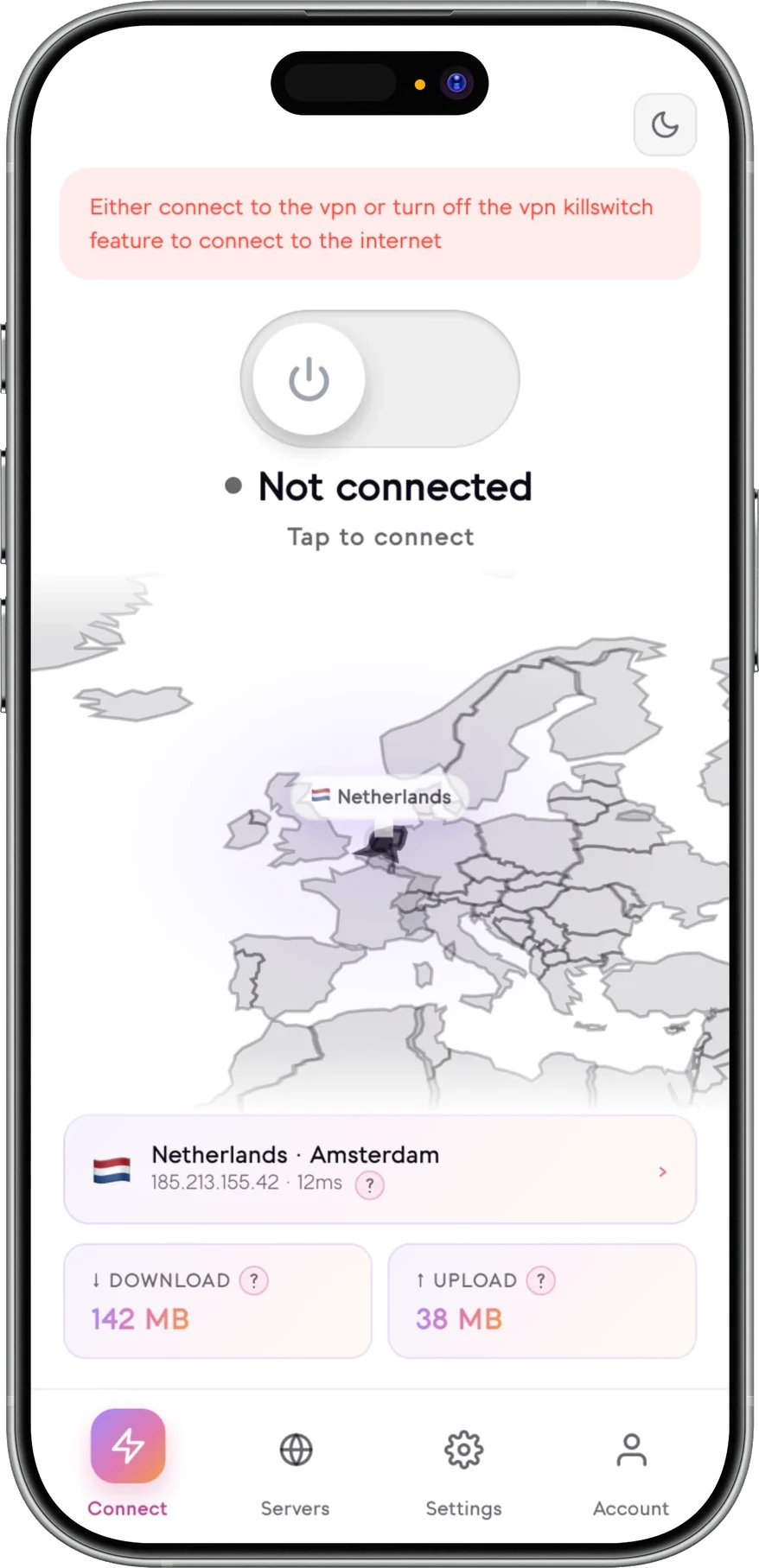
A VPN Kill Switch allows you to control your internet connection if the VPN drops. This helps stop your data from leaking and exposing your real IP address.
Your internet connection will be restored either when the VPN reconnects to you or when you switch off the kill switch within the app settings.

What is a VPN kill switch?
A VPN kill switch stops your device from falling back to the normal internet connection if the VPN connection drops unexpectedly.
It is also known as an internet kill switch or network kill switch. Regardless of the term used by the VPN provider, the function serves the same purpose: if there is no secure VPN tunnel, then there is no internet traffic.
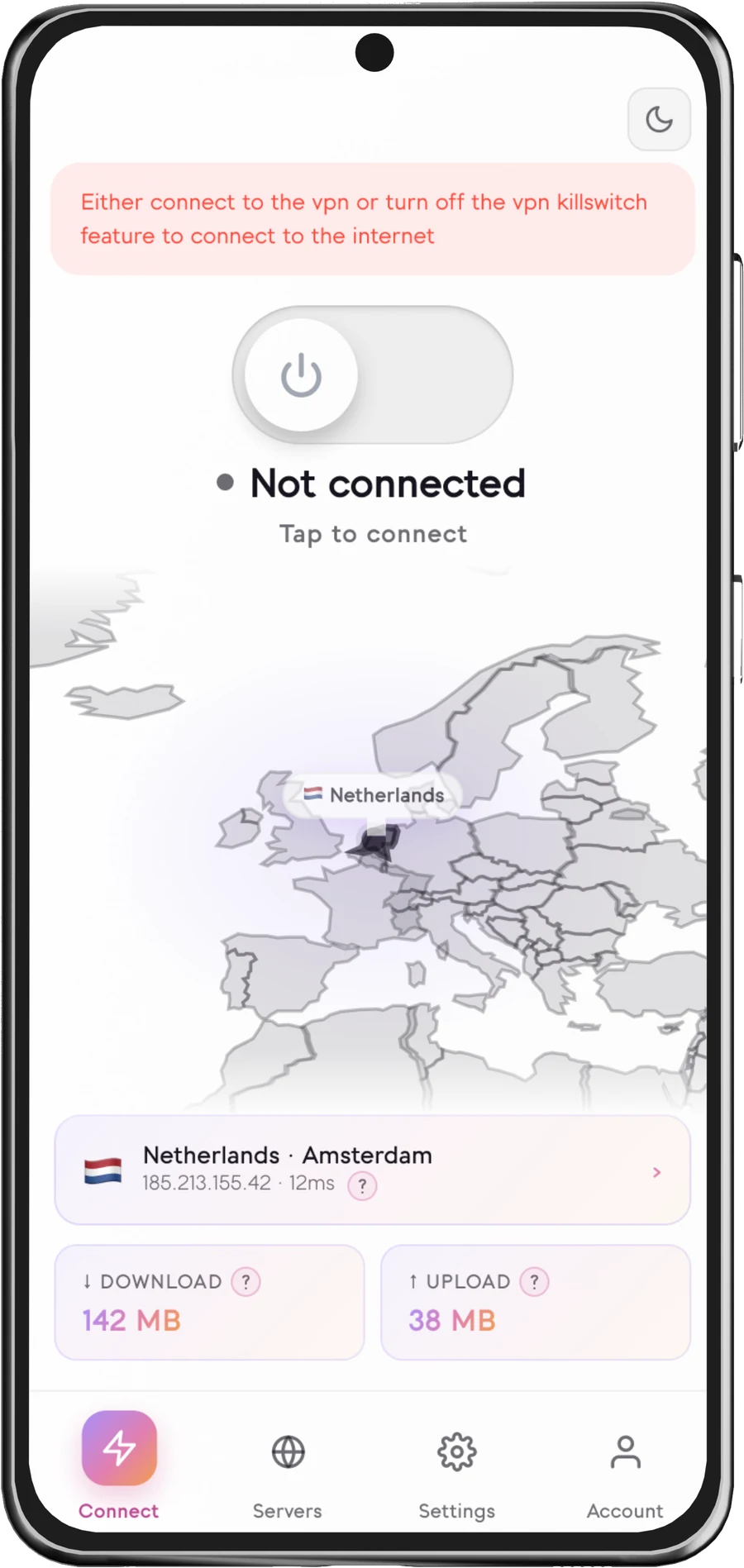
When the kill switch is on, and the platform supports this functionality, Senton VPN will block your device’s internet connection until either the VPN reconnects to the server or you turn the setting off manually.
- Works automatically after an unexpected disconnection of the VPN.
- Blocks internet traffic while the security protection is unavailable.
- Restores internet connectivity once the VPN reconnects to the server.
- Can be turned on or off in the app settings.
How to enable or disable the VPN kill switch
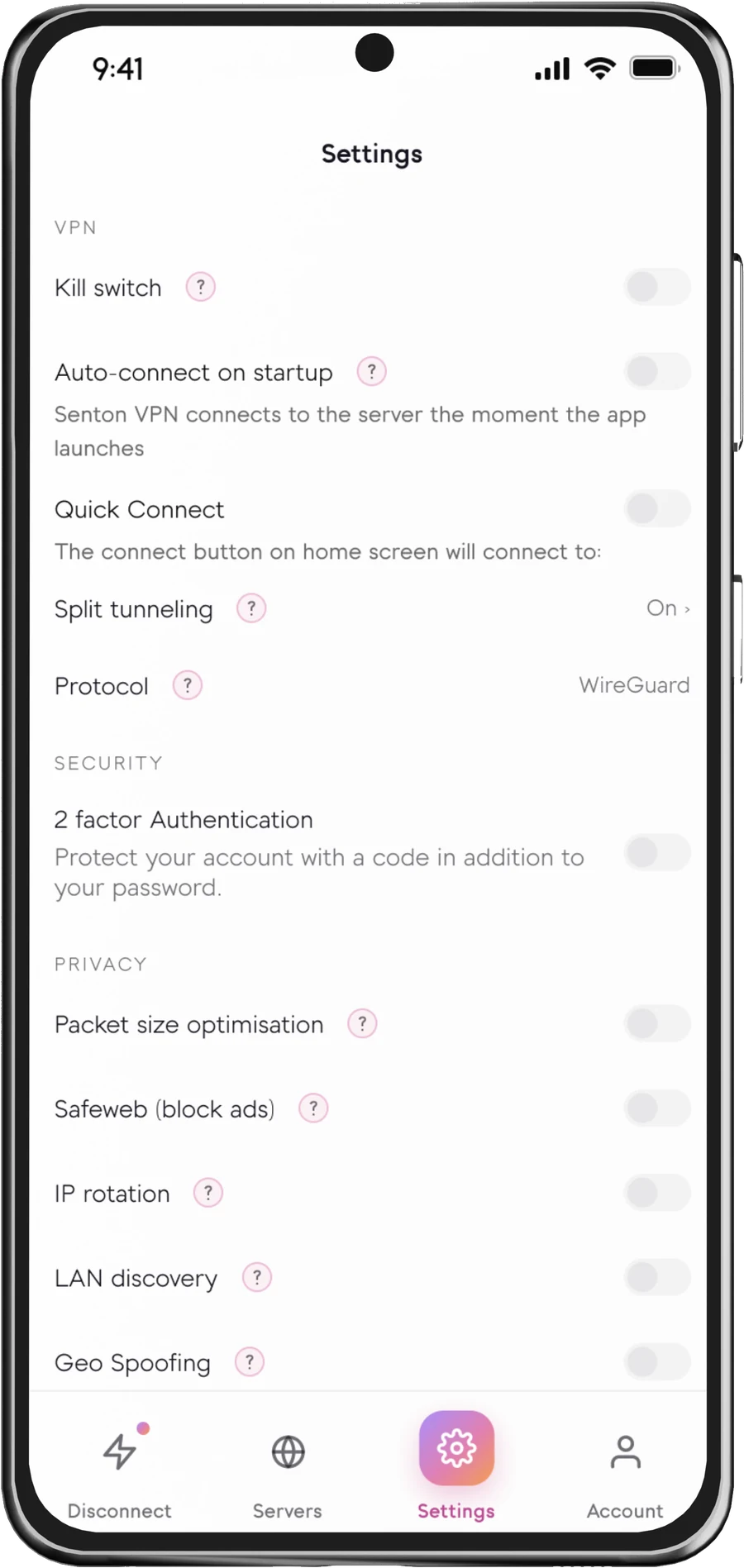
This setting can be controlled directly within the Senton VPN app settings list.
How does a VPN kill switch work?
VPN Connected
Your supported device is connected to a VPN server.
Connection interrupted
Your encrypted VPN connection unexpectedly becomes unavailable.
Internet traffic blocked
Your internet traffic is blocked and cannot fallback to your normal connection.
Protection restored
Your VPN connection is restored and your traffic is travelling through the secure VPN tunnel.
When a kill switch VPN really matters
Public Wi-Fi interruption
If your VPN disconnects on a public Wi-Fi connection, the kill switch can stop traffic from continuing over a network you do not control.
Changing networks
When moving between Wi-Fi and mobile data, your VPN connection might experience an interruption. Fallback traffic can be blocked where the platform supports it.
Sleep or network instability
If your device enters sleep mode or if your signal strength weakens, your VPN could drop. Your data will remain blocked until your VPN reconnects.
Kill Switch availability
Not all VPNs with kill switch support work the same way. The behavior of the kill switch may rely upon the application being used and the features available within the operating system or browser.
 AndroidSupported
Blocks supported traffic when the Android VPN connection unexpectedly disconnects.
 Chrome extensionSupported
Available in Chrome, protecting the traffic the extension handles.
Support for additional Senton applications will be listed here when those apps become publicly available.
Important to know
A VPN automatic kill switch is built for unexpected disconnections. The kill switch may behave differently on different operating systems and browsers, with different VPN protocols, on different devices and with different app settings.
For example, it may behave differently if the device is rebooted, if the app is force-closed, if the operating system prevents access to the app or if a setting is changed manually.
Works well with other Senton VPN controls
Auto Connect
Connects to the VPN server automatically based on the settings within the supported app.
Learn moreQuick Connect
Allows users to quickly reconnect to their preferred or recommended location.
Learn moreBypasser
Allows users to select which supported apps or websites will use the VPN.
Learn moreSafeweb
Allows users to add an extra layer of protection to their browsing by blocking supported trackers, ads and unsafe domains.
Learn moreFrequently asked questions
If you are using a VPN with internet kill switch support, it will automatically block your internet connection after the VPN disconnects from the server unexpectedly. This helps stop your data from quietly continuing over your normal internet connection.
No. It is a setting you turn on, and it can be turned off again at any time.
Not yet. Only Android and the Chrome extension have kill switch support at this time. Other apps will be listed once they are publicly available.
This will only apply to the traffic of the supported app or extension. The platform will determine the exact details of its coverage.
To turn off the kill switch, open the Senton VPN application, go to the Settings menu and then the VPN Settings option. Turn the Kill Switch feature off.
If your VPN connection drops, a VPN kill switch will block your internet traffic. When your VPN connection is restored, it will restore your internet connection for you.
No. A VPN kill switch will not normally increase or reduce your VPN speed. It will simply allow or deny your internet traffic if the VPN connection is down.
The kill switch itself is not normally a major drain on your device’s resources. The operation of the VPN and its automatic reconnection does use some resources, and the real impact depends on your platform, network and device.
Stay protected when connections change.
Start the 7-day trial and test Senton VPN for yourself if you are looking for the best VPN with kill switch support.