
You're using someone else's Wi-Fi (or your parent's, or a colleague's, or your flatmate's, or work's) and you're wondering can the person in control of that network see my activity on my mobile? The quick answer is "some of it". We'll explain which, what exactly is visible by different routers and how to avoid the rest.
What can the Wi-Fi owner see on your phone?
What your mobile reveals is less than commonly assumed but more than commonly realised. Most apps and services now employ encryption for the content of what you do. The apps and websites you connect to may or may not be visible by name.
What the Wi-Fi owner can see
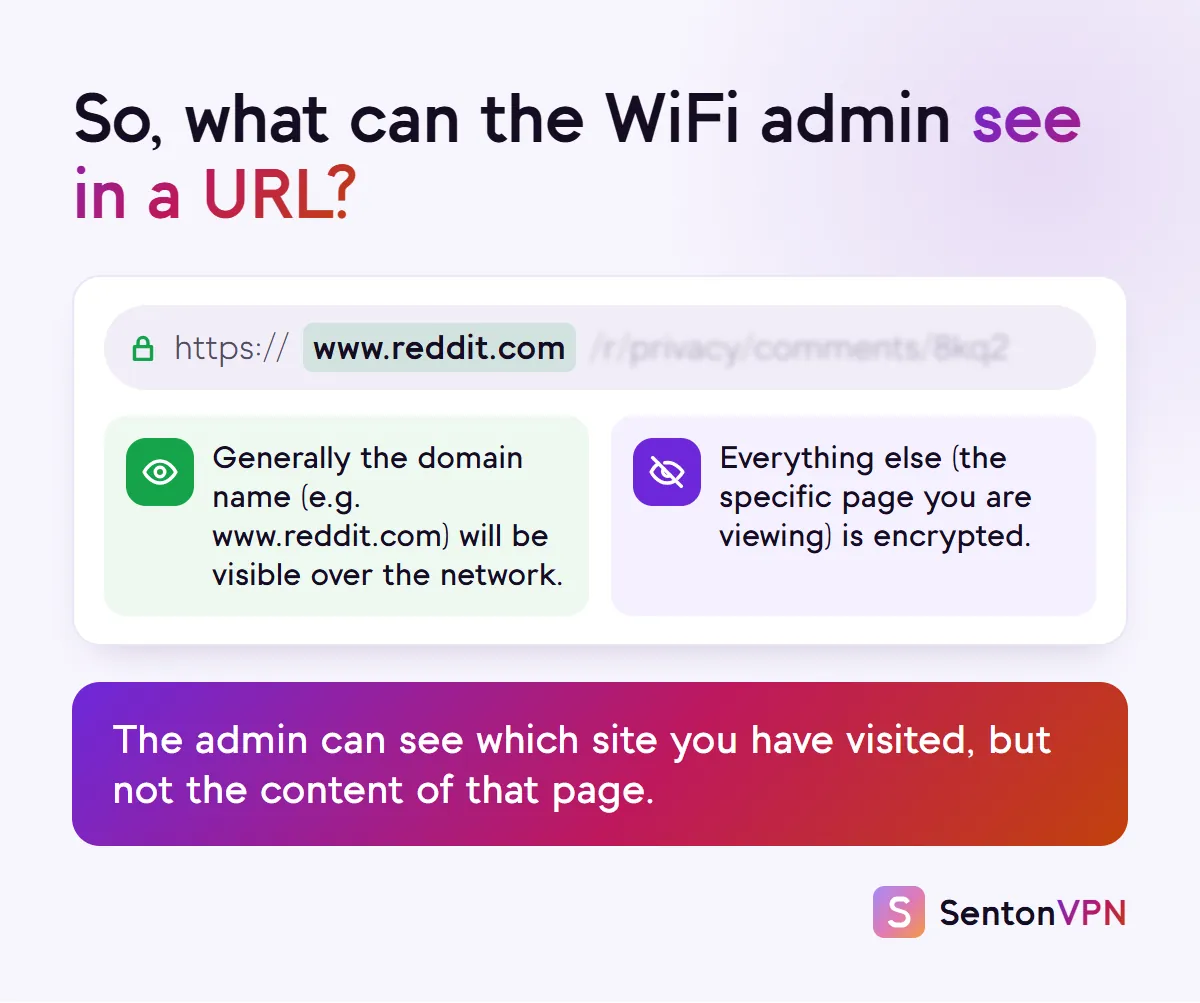
- Name of websites visited via the site name sent by your mobile when connecting and DNS lookups for the website name
- Servers contacted by apps (e.g. WhatsApp servers, Instagram servers)
- Name or IP address of the device
- Amount of data used and time each device is connected to the network
- Content on any app or page that doesn't employ encryption
What the Wi-Fi owner cannot see
- Specific content viewed (e.g. a specific YouTube video or specific Reddit post)
- Text input into login pages, forms and search boxes on encrypted apps and services
- Messages and calls made within end-to-end encrypted apps such as WhatsApp
- Files, notes and photos stored on the mobile
- Anything done using mobile data rather than the network supplied Wi-Fi
Can the Wi-Fi owner see your search history?
Not your search terms. All major search engines (Google, Bing, DuckDuckGo etc.) use encrypted connections so that all your search terms are encrypted within the connection. A Wi-Fi owner would be able to see that you accessed google.com, but not what you searched for.
The content you click on however can be different. If you are searching for a recipe and click on a cooking website then the Wi-Fi owner may be able to see the name of the cooking site from the router logs, but would not be able to see your search term.

Can the Wi-Fi owner see your incognito history?
They may still see which sites you visit. Incognito or private browsing merely prevents the data being stored on your device. According to Google’s Chrome help pages, websites and organisations associated with your network (for example an internet service provider, employer, school etc) can view your browsing. Your browsing history on the device will be cleared, but data held in the router or owner app for visited websites will remain.
What each router app actually shows the owner
The capacity of an app to show data and the ability to see that data on a network are not the same. Many router apps do not show as much as many assume and there are some that do show more. We researched the official help pages for some of the most popular routers and mesh products to find out what data is actually visible for the person running the network.
- Sites each device visited
- Yes, full history per device, off until switched on
- Data or time per device
- Data use and time connected
- Paid add-on for site history
- No, free
- Sites each device visited
- Yes, sites visited for the last 7 days
- Data or time per device
- Time online
- Paid add-on for site history
- No
- Sites each device visited
- Yes, a Visited list
- Data or time per device
- Time online
- Paid add-on for site history
- Yes, Smart Parental Controls Premium
- Sites each device visited
- Top 5 most visited sites only
- Data or time per device
- Time online
- Paid add-on for site history
- Pro keeps 30 days, free keeps today
- Sites each device visited
- Time on supported sites, after a consent prompt
- Data or time per device
- Time online
- Paid add-on for site history
- Included on eligible gateways
- Sites each device visited
- No, eero says it does not track browsing
- Data or time per device
- Data use per device
- Paid add-on for site history
- Not needed
- Sites each device visited
- No, Google says it does not track the sites you visit
- Data or time per device
- Data use per device, last 30 days
- Paid add-on for site history
- Not needed
- Sites each device visited
- Not stated in its help pages
- Data or time per device
- Data use on supported routers
- Paid add-on for site history
- Not stated
- Sites each device visited
- Not stated in its help pages
- Data or time per device
- Data use per device
- Paid add-on for site history
- Not stated
| Router or app | Sites each device visited | Data or time per device | Paid add-on for site history |
|---|---|---|---|
| ASUS (Web History) | Yes, full history per device, off until switched on | Data use and time connected | No, free |
| TP-Link Archer (web admin) | Yes, sites visited for the last 7 days | Time online | No |
| Netgear Orbi and Nighthawk | Yes, a Visited list | Time online | Yes, Smart Parental Controls Premium |
| TP-Link Deco (HomeShield) | Top 5 most visited sites only | Time online | Pro keeps 30 days, free keeps today |
| Xfinity xFi | Time on supported sites, after a consent prompt | Time online | Included on eligible gateways |
| eero | No, eero says it does not track browsing | Data use per device | Not needed |
| Google Nest Wifi | No, Google says it does not track the sites you visit | Data use per device, last 30 days | Not needed |
| Linksys | Not stated in its help pages | Data use on supported routers | Not stated |
| AT&T Smart Home Manager | Not stated in its help pages | Data use per device | Not stated |
If you align the information it becomes apparent. With security or parental controls features on routers (ASUS, Netgear Premium, TP-Link Archer for example) the admin can be presented with a list of the sites that are visited by each piece of connected equipment (and in some cases this is free). Google and eero say they don't record site visits. TP-Link Deco only displays the top five most visited sites. Xfinity also states on their support page that site visits can't be recorded and made available if a piece of equipment is using a VPN. Therefore whether an admin on a Wi-Fi network can view your visited sites depends on the router purchased and any features that have been enabled.
Can the Wi-Fi owner see what apps you use on your phone?
Partly. Apps will communicate with their own servers. In most cases this means that the network will be able to see which apps you have communicated with (e.g. Instagram, TikTok and WhatsApp) and the amount of data that has been transferred to and from those apps. However the content of these apps cannot be seen by the network. WhatsApp claims end-to-end encryption of calls and personal messages so that only the people in the chat or call can view it. No one else including WhatsApp itself can view these messages.
Can the Wi-Fi owner see your history if you delete it?
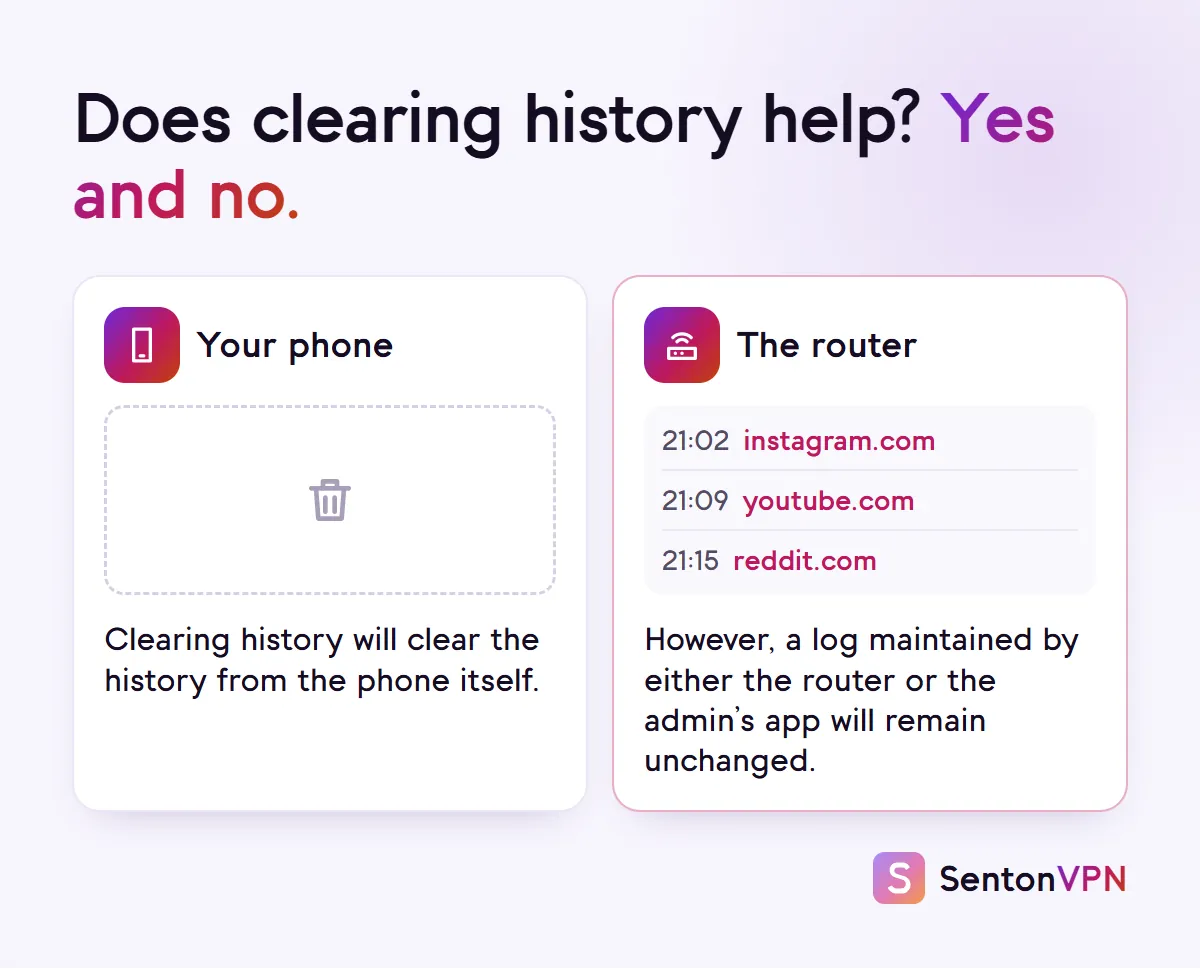
Clearing your browsing history from your phone only clears the history stored on the phone itself. If data about the websites you visit is logged by a router or monitoring service then this data will remain stored in the router or within the monitoring service used by the network administrator. Clearing your browsing history has no effect on this data.
Does your Wi-Fi bill show your search history?
No. Your home internet bill will contain information about the plan, charges and in some plans the amount of data used during a month. It will not contain any information about the websites visited or content you have searched for. Data usage and any data captured in a router or app is addressed above.
What can your employer or school see on their Wi-Fi?
If you are on a work or school network then it is likely that the network administrator can see at least as much as a home router administrator and likely more as they use a business firewall that monitors and filters network usage. If your phone has a work or school profile or monitoring app installed then this app can see more than the work or school network itself. If however you are on your own phone and no work or school profile or monitoring app is in use then the network administrator will see the same data as described above.

How to keep your browsing private on someone else's Wi-Fi
Here is how to stay private on an untrusted Wi-Fi network, step by step.
 1Wi-FiMobile dataStep 1Use mobile data for anything privateWhen you turn off Wi-Fi and use your mobile data all your activity bypasses the network owner's router entirely.
 2
2 Senton VPNConnectedStep 2Turn on a VPNWith a VPN active your activity appears to the router as an encrypted connection to the VPN server. Any app or website names that would otherwise be visible stay hidden within the encrypted tunnel.
 3Private DNSOffAutomaticHostnameStep 3Turn on Private DNSStarting on Android 9 Private DNS encrypts your phone's DNS lookups to websites. This hides the lookups from the network but may not hide the website name used when connecting.
 4https://example.comConnection is secureStep 4Check the site uses HTTPSText viewed and entered on a website can only be hidden from your network if the website uses HTTPS. Ensure the site address begins with https://, or tap the icon beside the address to check that the connection is secure. If a site is flagged as Not secure by the browser, then all data entered and viewed on that page can be read by your network.
 5Install profile?CancelInstallStep 5Never install a network's profile or certificateIf a Wi-Fi network requires installation of a certificate or profile before being able to use the network, reject unless this is part of a work or school policy on the employer's device. Certain certificates and profiles allow the network to view encrypted traffic.
Does a VPN hide what you do from the Wi-Fi owner?
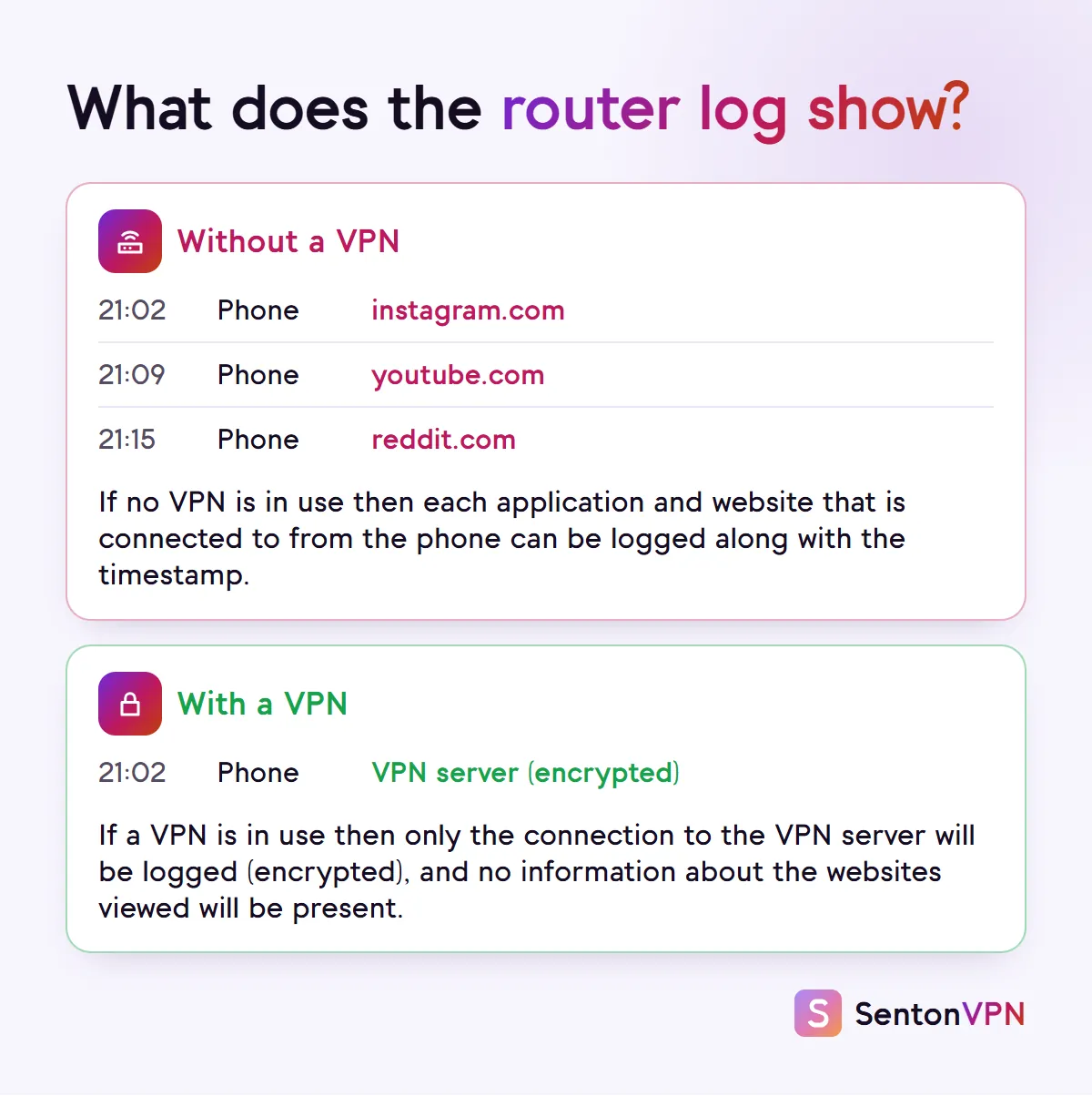
Yes, for the data passing through it. When using a VPN all of your data is encrypted in a tunnel from your phone to a VPN server before being sent to the router. The network owner will be able to detect that your phone is connected to the network, how much data is being used and that your phone is using a VPN. App names, website names and pages contained within the encrypted tunnel are hidden.
What a VPN hides
- Hides app and website names from the network
- Hides DNS lookups (which make up a large portion of router logs)
- Prevents unencrypted apps and pages from being viewed by the network
What a VPN does not hide
- Does not hide data usage or status of being online
- Does not hide use of a VPN (although some networks may block VPN use)
- Does not stop a work profile or monitoring app installed on the phone from seeing what you do
How Senton helps
- Senton VPN: on the Chrome extension (for traffic in the browser) and the Android app, the owner of the Wi-Fi will only see a connection to our server
- Kill Switch prevents supported traffic from escaping unprotected over the Wi-Fi should your VPN connection be lost
- Auto Connect provides connection to your selected server the moment you open the app
The bottom line
- When on someone else’s Wi-Fi, the owner is generally able to see what apps and websites you are using, but not what you do within those apps and websites
- Using incognito mode, clearing your browsing history or checking your internet bill does not change what the owner can see
- Using mobile data or a VPN keeps website names off their router