
Choose what uses the VPN.
Bypasser is Senton’s split tunneling control. It allows you to choose which supported apps and websites use Senton VPN and which stay on your regular internet connection.
Traffic that does not go through the VPN uses your normal connection and may reveal your regular public IP address to that app, website or service.

What is Bypasser?
Bypasser is Senton’s split-tunnelling feature. It allows selected supported traffic to use the regular internet connection while the rest of your eligible traffic continues through the VPN.
A split tunneling VPN is useful for apps, websites or local services that may not work correctly through the tunnel, or when you deliberately want traffic outside it.
Traffic that does not use the VPN does not receive Senton’s VPN IP address or VPN-tunnel protection.
- Route selected supported traffic outside the VPN
- Keep other eligible traffic inside the tunnel
- Build app or website rules where supported
- Pause or delete a rule whenever you want
- Check platform behaviour before you rely on it
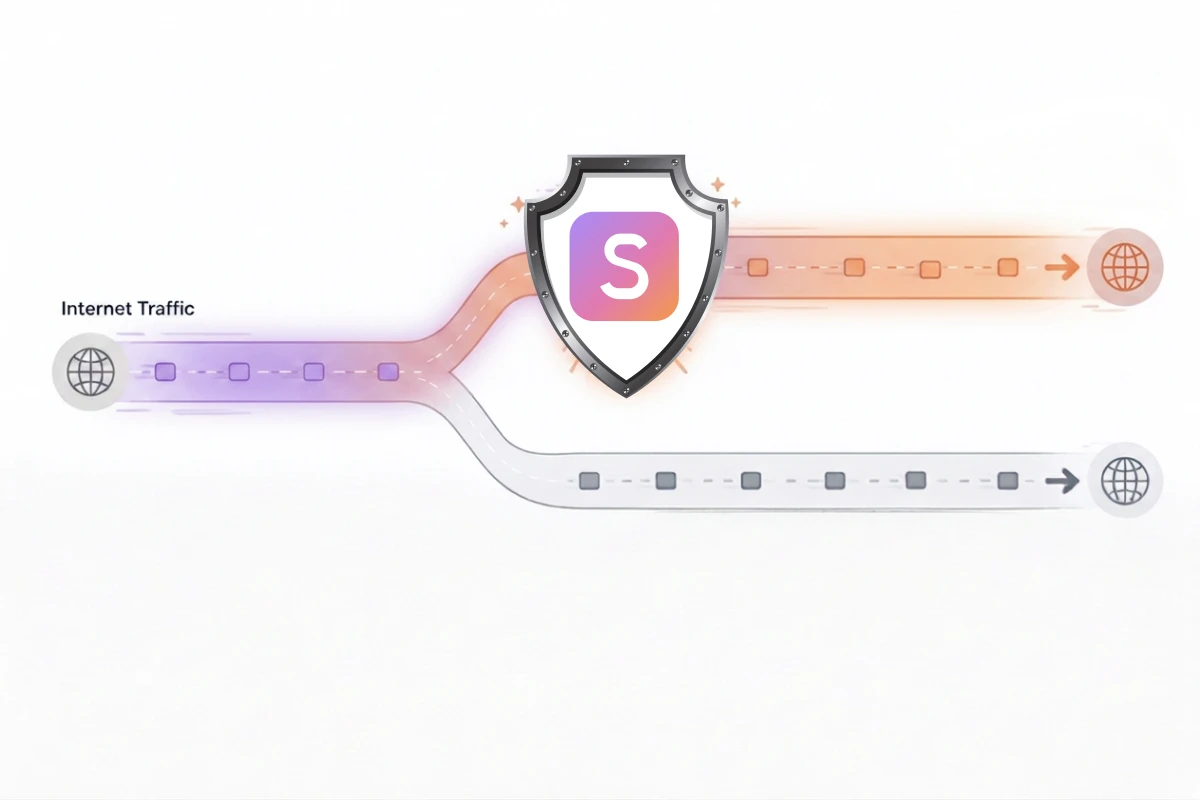
How does Bypasser work
Two ways to control your traffic
App-based Bypasser
Choose the supported applications that should use the normal internet connection.
- Select apps to route directly
- Other eligible traffic stays on the VPN
- Add or remove app rules
The rule may apply to all supported traffic from the application.
Website-based Bypasser
Add supported domains that should use the normal internet connection while other browser traffic stays on Senton.
- Enter domains to route directly
- Remove a rule at any time
- Other eligible browser traffic stays on the VPN
The settings for domain matching, subdomains and browser scope depend on the current application.
Bypasser in the Senton VPN app
The app labels this screen Split Tunneling, which is the same feature described on this page.
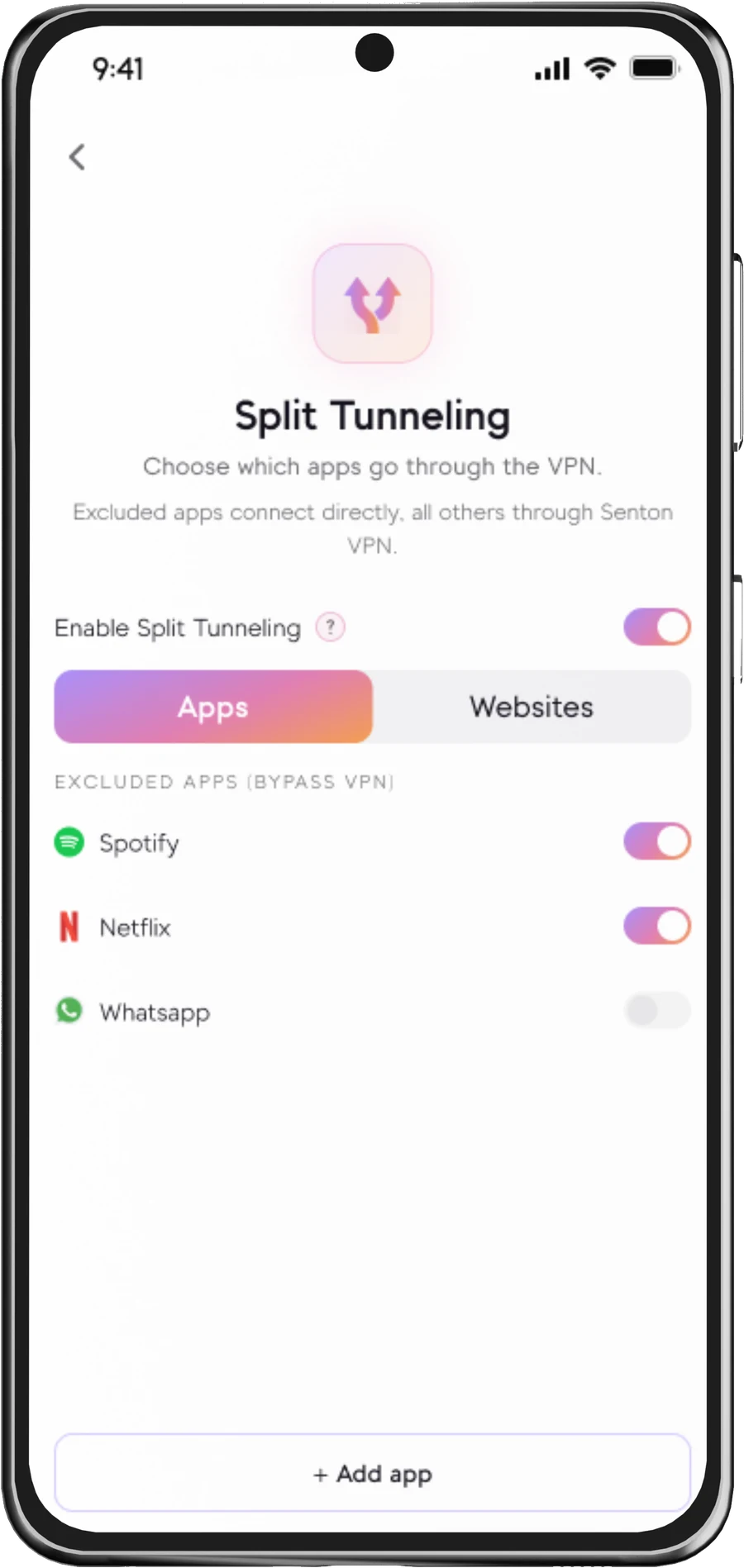
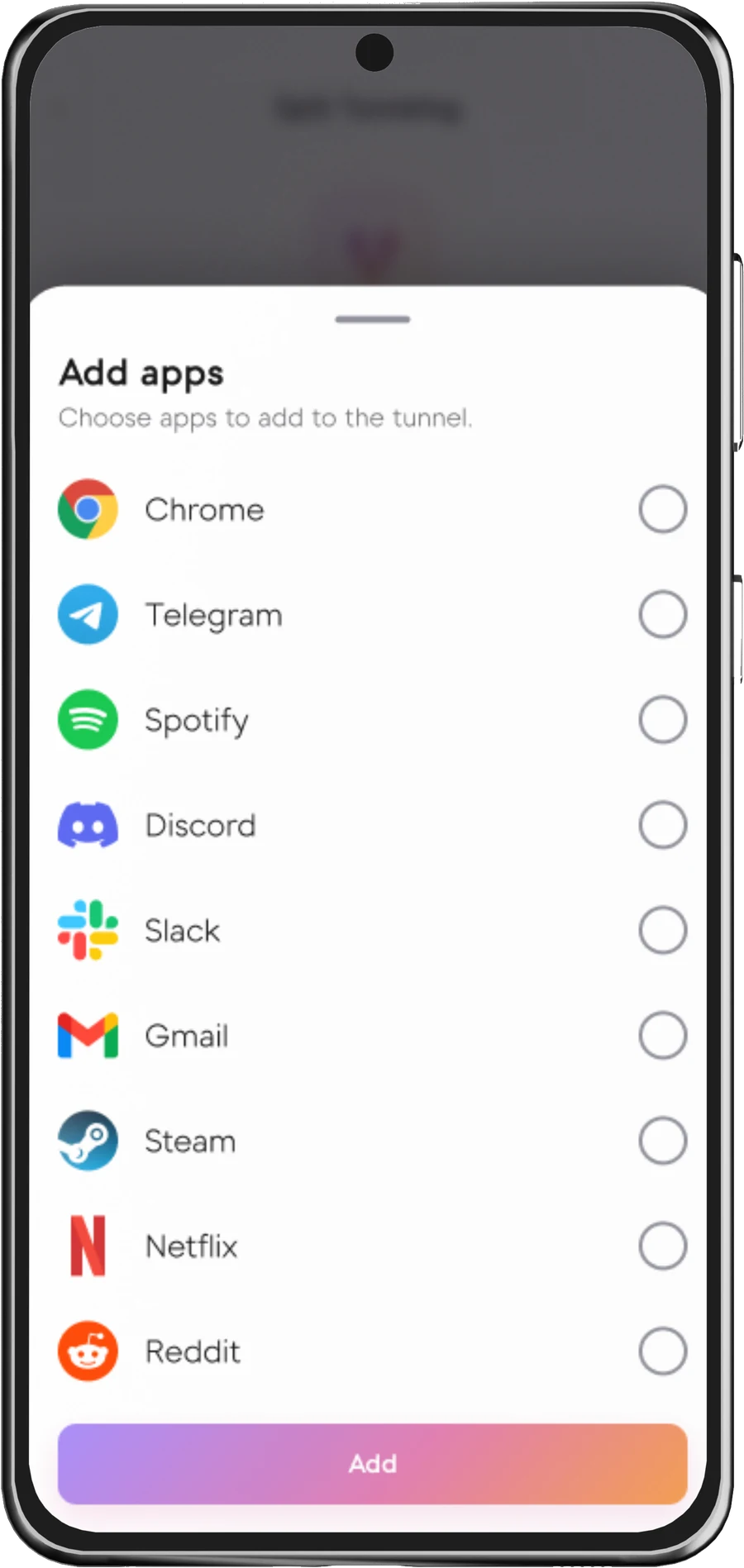
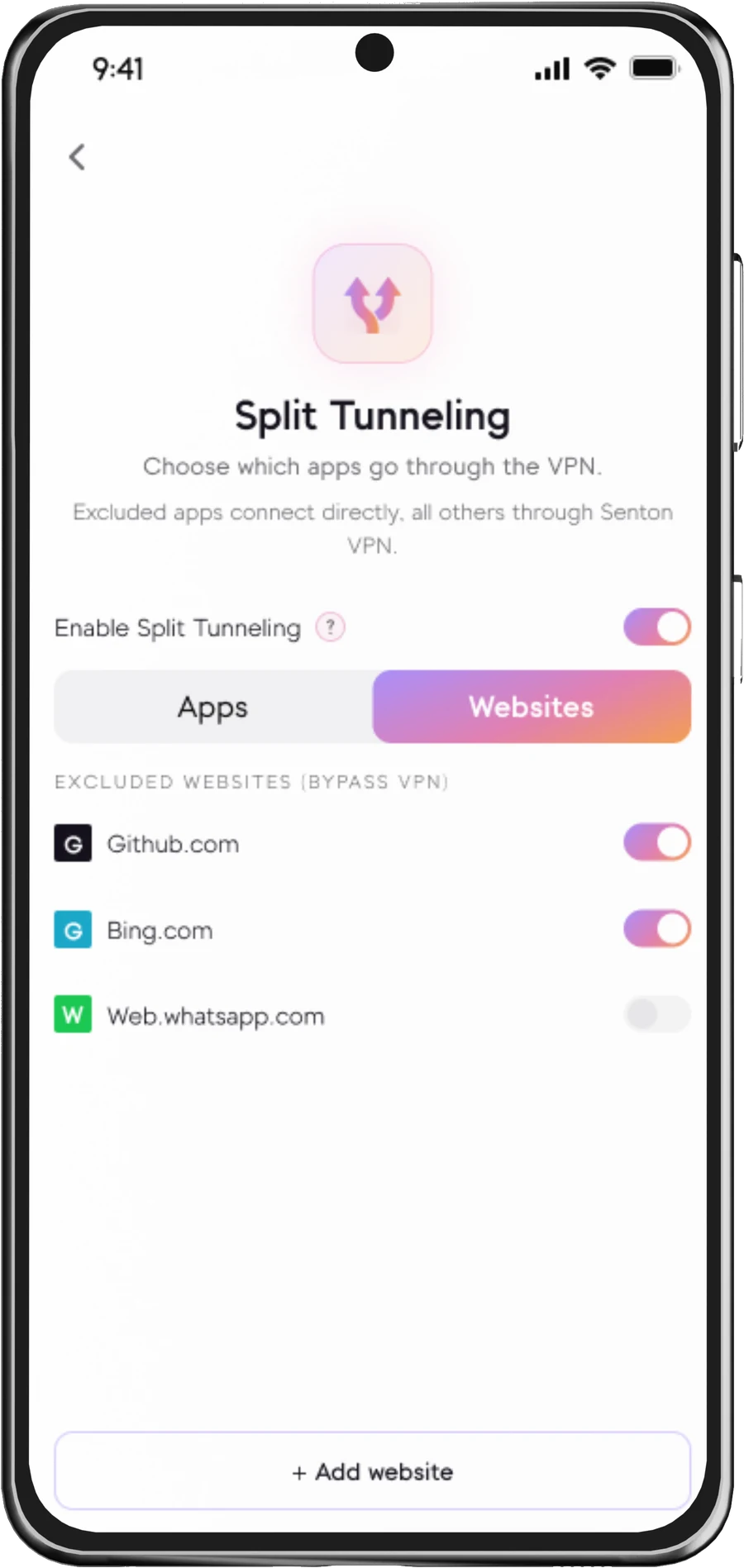
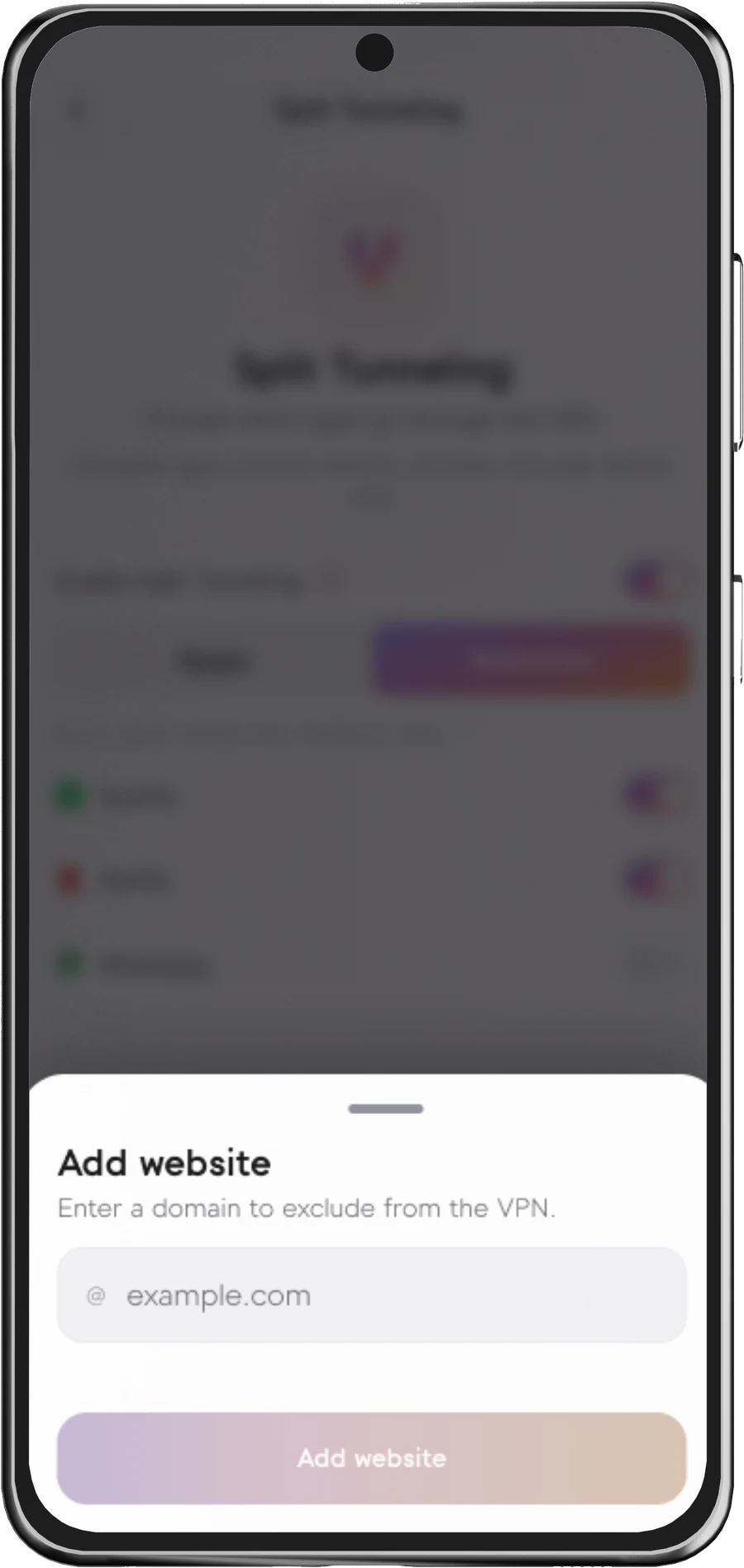
Screens are from the Senton VPN mobile app. Apps & websites that are added to the excluded list will connect directly to the internet. These applications will not use the Senton VPN IP address or receive any protection from the VPN tunnel.
Choose the right route for each task
- General browsing
- Account sign-ins
- Public Wi-Fi activity
- Privacy-sensitive apps
- Trusted local printer
- Local network device
- Service that does not accept VPN traffic
- Region-specific local resource
These examples are illustrative. Weigh the privacy trade-off before you bypass VPN traffic.
When Bypasser can be useful
Understand the trade-off
- Uses the VPN tunnel
- Uses the active Senton VPN IP
- Follows the Senton location you selected
- Protected according to your active VPN settings
- Uses the regular internet connection
- May reveal your regular public IP
- Is not protected by the Senton VPN tunnel
- May be visible to the local network or internet provider under normal connection conditions
How Bypasser works with Kill Switch
The features within Kill Switch and Bypasser may not work the same on all platforms or applications. Review the notes for your platform prior to depending upon a specific outcome from the features when the VPN disconnects.
Bypasser availability
Senton VPN offers Bypasser (split tunneling) for select applications. Not all applications will work with the same routing settings.
 AndroidWhole-device VPNSupported
Rules can be created for specific applications or websites. Some system applications may be restricted by the operating system.
 Chrome extensionBrowser scopeSupported
Available in Chrome browser with its own list of websites that will be routed outside of the VPN.
Senton is one of the VPNs that support split tunneling (Bypasser) and more platforms will be listed here when Bypasser is available on them.
Set up Bypasser in a few steps
The steps listed here may not be the same for the Android application & the Chrome extension for Senton VPN.
Works with other Senton VPN connection controls
Frequently asked questions
Split tunneling lets you choose which apps or websites travel through the VPN and which use your regular internet connection. On Senton VPN, that control is called Bypasser.
A VPN bypass allows traffic to be sent outside of the encrypted tunnel created by the VPN software. With Bypasser, you can configure which supported apps and websites get to use this bypassed route.
This routing control gives you more say over your connection. Although it can be useful, the data sent outside of the VPN tunnel is not protected by the VPN connection. Only route traffic you trust outside the VPN tunnel.
Using Bypasser can reduce the overhead of routing your traffic through the VPN, but performance will depend on your device, your network, the service and the route. There is no guarantee that your internet speed will improve.
Full tunnel routes all of your internet traffic from your device through the VPN for the highest level of privacy. With split tunneling (Bypasser) you can select which apps or websites pass through the VPN while the others connect directly to your local internet.
Open the Senton VPN app, head to Settings, then select “VPN Settings” and find “Bypasser”. Turn the toggle switch to “Off”.
Yes. Supported rules can be removed or disabled from the Bypasser settings.
No. Some providers include it and some do not, and the ones that do vary in what they let you exclude. You get a VPN service with split tunneling, which you will find as Bypasser in the Senton VPN app.
Control how your traffic connects.
Start your 7-day Senton VPN trial and use Bypasser on supported applications.