
Mask ID helps you share less of your real identity online.
Mask ID gives you a set of generated identity details, plus a masked email option, for the supported signups and low-risk interactions you run into online. Your primary personal information stays private.
Mask ID does not guarantee anonymity and should not be used where accurate legal identity or formal verification is required.

What is Mask ID?
Mask ID is a privacy feature that generates alternate identity details for supported online registrations and low-risk interactions.
If you have looked for a virtual identity generator, Mask ID is the same feature under a different name. Where alternate details are permitted, you use a generated Mask Persona and a masked email address instead of your primary name, email or address.
Mask ID helps limit the amount of personal information you have to disclose online. It does not make you anonymous, prevent all tracking or replace identity verification.
- Generated identity details (name, age, address)
- Masked email aliases that forward to your inbox
- Easy regeneration where supported
- Managed through supported Senton applications
- Intended for permitted low-risk use cases
Mask Persona
Generate alternate profile details for websites and services that permit non-verified or display information.
Generated details are fictional and must not be presented as another real person’s identity.
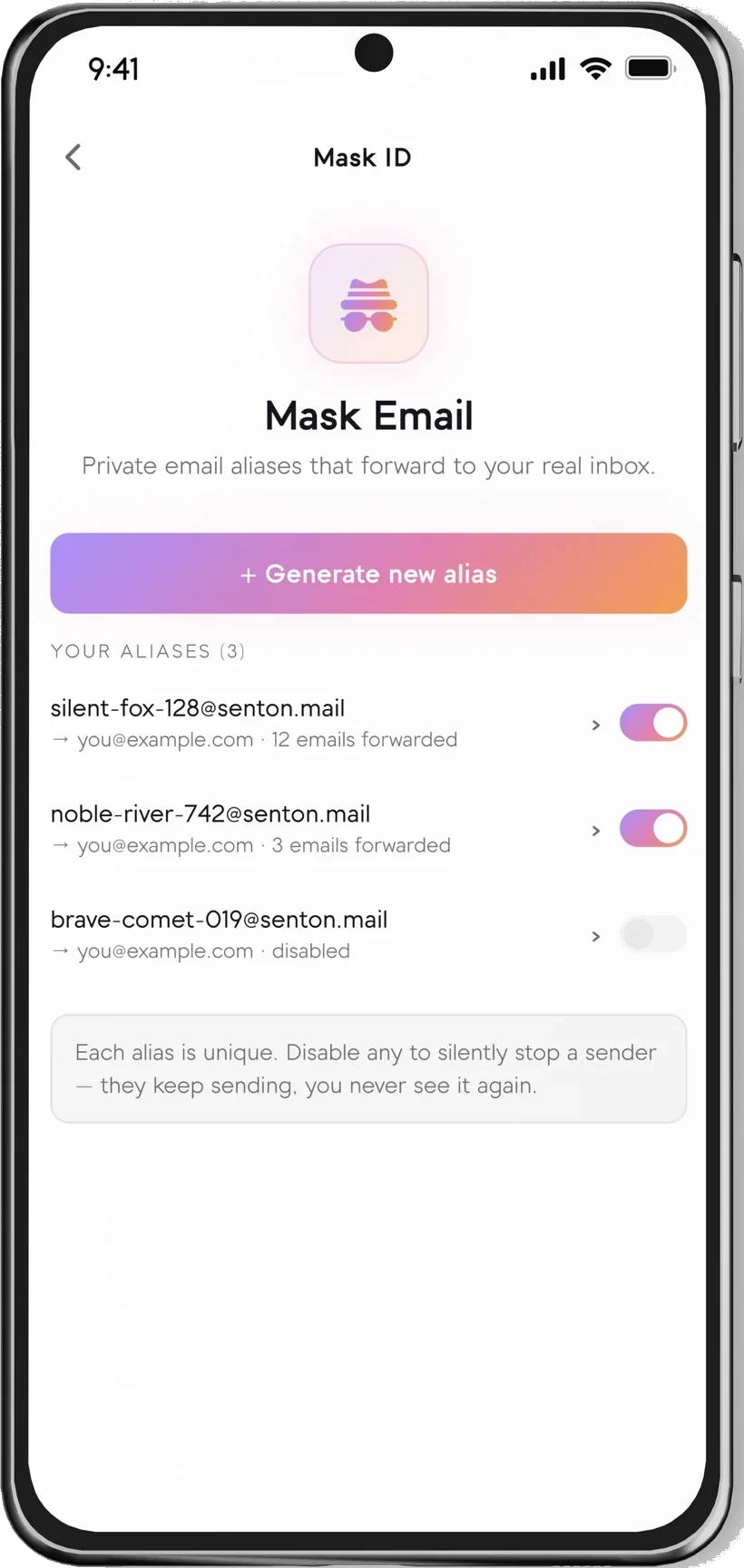
Mask Email
Use a generated email alias to keep your main inbox separate from supported registrations, newsletters and one-time interactions. Messages forward to your real inbox.
- Receives email (forwarded to your inbox)
- Multiple aliases
- Disable an alias to silence a sender
- Regenerate a new alias
- Receives supported verification / OTP emails
- Fixed expiry timer — not applicable
Mask ID in the Senton app
Aliases you can switch off, and a generated identity you can review before you keep it.
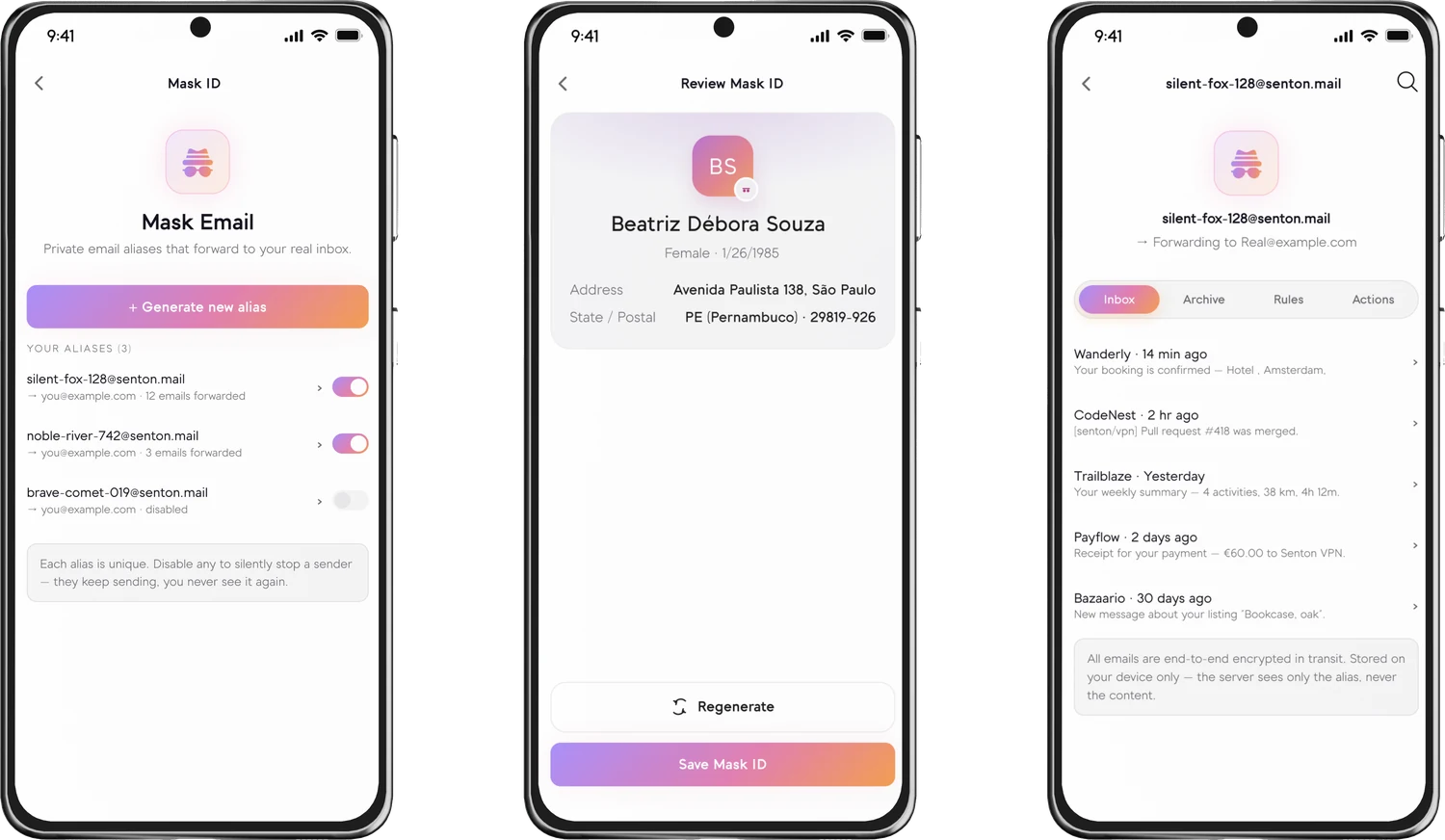
Illustrative example — not a real person or address.
How Mask ID works
Auto-fill may be available on some supported platforms.
Generated details available in Mask ID
How Mask Email works
Aliases forward to your real inbox — keep them, disable them, or remove them at any time.
Where Mask ID can be useful
Do not use Mask ID for banking, credit, government, insurance, healthcare, employment verification, legal agreements, regulated exchanges or any service that requires your accurate legal identity.
What Mask ID does not do
- Guarantee anonymity
- Prevent browser fingerprinting
- Block every tracker
- Replace a VPN connection
- Replace password security
- Create a legally valid identity
- Make deceptive use acceptable
- Bypass Know Your Customer (KYC) checks
- Protect information entered outside Mask ID
- Stop a site identifying an account through cookies or login history
Mask ID availability
Mask ID availability and functionality depend on the Senton application and platform.
 AndroidSupported
Generate personas and masked email aliases, copy fields and manage identities in the Android app.
 Chrome extensionSupported
Use Mask ID within the browser; capabilities apply to supported browser workflows.
Mask ID is expanding to more Senton applications — additional platforms will be listed here as they become available.
Create a Mask ID in a few steps
Works well with other Senton privacy tools
Frequently asked questions
Mask ID is the Senton VPN virtual identity generator. It creates alternate identity details and masked email aliases for supported low-risk registrations and interactions, so you share less of your primary information.
No. Mask ID creates an alternate identity and a masked email address you can use instead of your primary details when you register on supported sites. Sites can still identify or track people through accounts, cookies and browser fingerprints.
Mask ID can generate a persona with a name, age and address, as well as a masked email alias to go with it. The persona details are fictional and for display only. The masked email is a working alias that forwards to your primary inbox.
Your masked email alias forwards messages to your real inbox, so supported verification and OTP emails can arrive there. Delivery is not guaranteed for every sender or service.
No. Always use your accurate legal identity whenever a service requires identity verification, regulated information or legally binding details.
Yes. Using a virtual identity to protect yourself from data breaches and marketing trackers is a standard security practice. However, these tools should be used responsibly. Regardless of your virtual identity, any illegal activity or violation of a service's terms is still against the law and still prohibited.
Saved Mask ID details can sync across supported Senton applications connected to the same account. Availability depends on the platform.
Mask ID is part of your plan, so it will continue to work during your current plan period. However, once your plan period ends, Mask ID will no longer be available to you. Export any data you still need from Mask ID before your plan period ends.
Use Mask ID responsibly
Mask ID is designed to reduce unnecessary sharing of personal details in permitted low-risk situations. It must not be used for fraud, impersonation, regulated accounts, legal documents or bypassing identity-verification requirements. Do not use it to impersonate another real person, misrepresent eligibility or bypass identity checks.
Share less of your personal information.
Start your 7-day Senton VPN trial and explore Mask ID on supported applications.