"I've got your IP" in a game chat. Everyone falls silent. Seems like a threat. It's usually not as bad as it seems, but it's not nothing either. So here are the things that your number reveals and what can be done.
What does your IP address reveal?
All devices connecting to the internet require an IP address in order for websites to be able to deliver responses to those devices. In the home environment, a router is usually assigned one public IP by the internet service provider. All devices (computers, game consoles, phones etc.) in the house then share this IP when they connect to the internet.
What it shows
- Your internet service provider because they own blocks of IP addresses
- Your country and often also the city or region that you are in
- That a device is connected to your network and online
What it does not show
- Your name, phone number or email address
- Your street address or house number
- Items on your devices such as messages, photos and files
- The websites that you visit on encrypted services
Can someone find your location from your IP address?
Partially. IP geolocation information comes from network and provider data, not GPS. MaxMind is one of the largest suppliers of IP geolocation data. According to MaxMind their data is correct to the country level 99.8% of the time. State level accuracy within the US is approximately 80% and city level accuracy is only around 66%, and only within a 50 km radius.
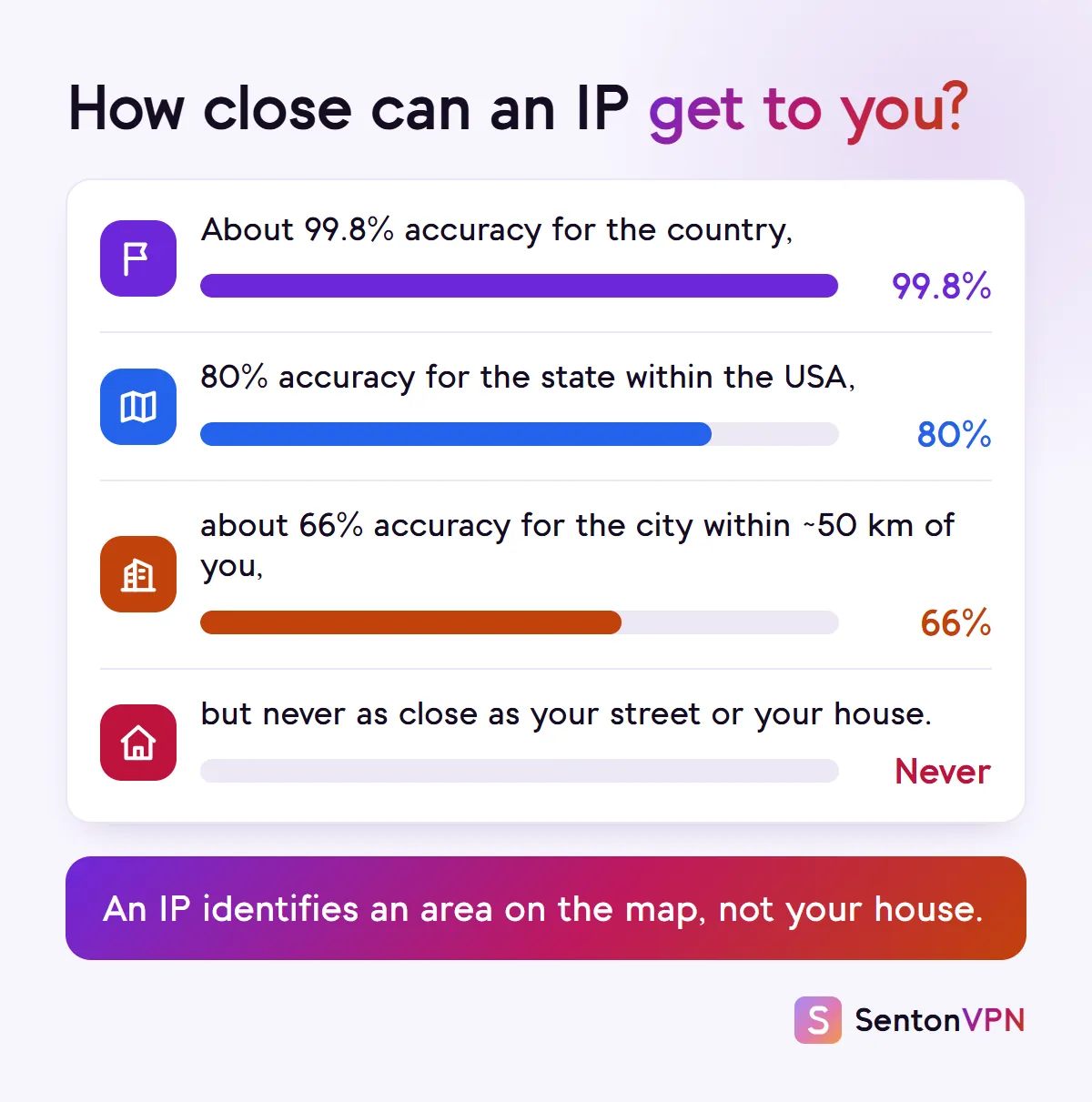
MaxMind also says that their data is never accurate enough to determine the level of street, house, individual, or residence. This means that a lookup service could return a city that is correct, or it could return a town that is an hour away, or it could return the midpoint in the nation for a default location.
What can someone do with your IP address?
Below are the real uses of an IP address as well as the circumstances under which they are applied.
- 1.Show you local ads and contentAny website you visitIP addresses are used by websites and online advertising services to determine your general location. Google says that any website may be able to derive and use some information about your general location based on your IP address. This is why search results, ads and prices can vary from country to country.
- 2.Follow your visits across sitesSites that use trackersTracking services may combine your IP address with browser fingerprinting and cookies to identify you on return visits. An IP address alone is not very useful for identification because it can change and is also shared by many users. However, combined with the other methods described above, it can be used in building an identification profile.
- 3.Block or ban youGames, forums and streaming servicesCertain services such as games, video streaming, and forums can restrict content based on region or block one or many IP addresses. If your IP address is blocked it may affect all devices in your household.
- 4.Flood your connection (DDoS)Mostly online gamingA denial of service attack sends a large volume of traffic to an IP address, causing the connection to slow down or be interrupted for a period of time. This type of attack is most common in online games. Using "booters" for this purpose is illegal and many such services have been seized by the FBI.
- 5.Probe your router for weak spotsAutomated scans of the internetScanners probe the internet for default passwords and open ports by trying many IP addresses. The actual vulnerability here is an outdated firmware or an old default login on a router and not the IP address itself.
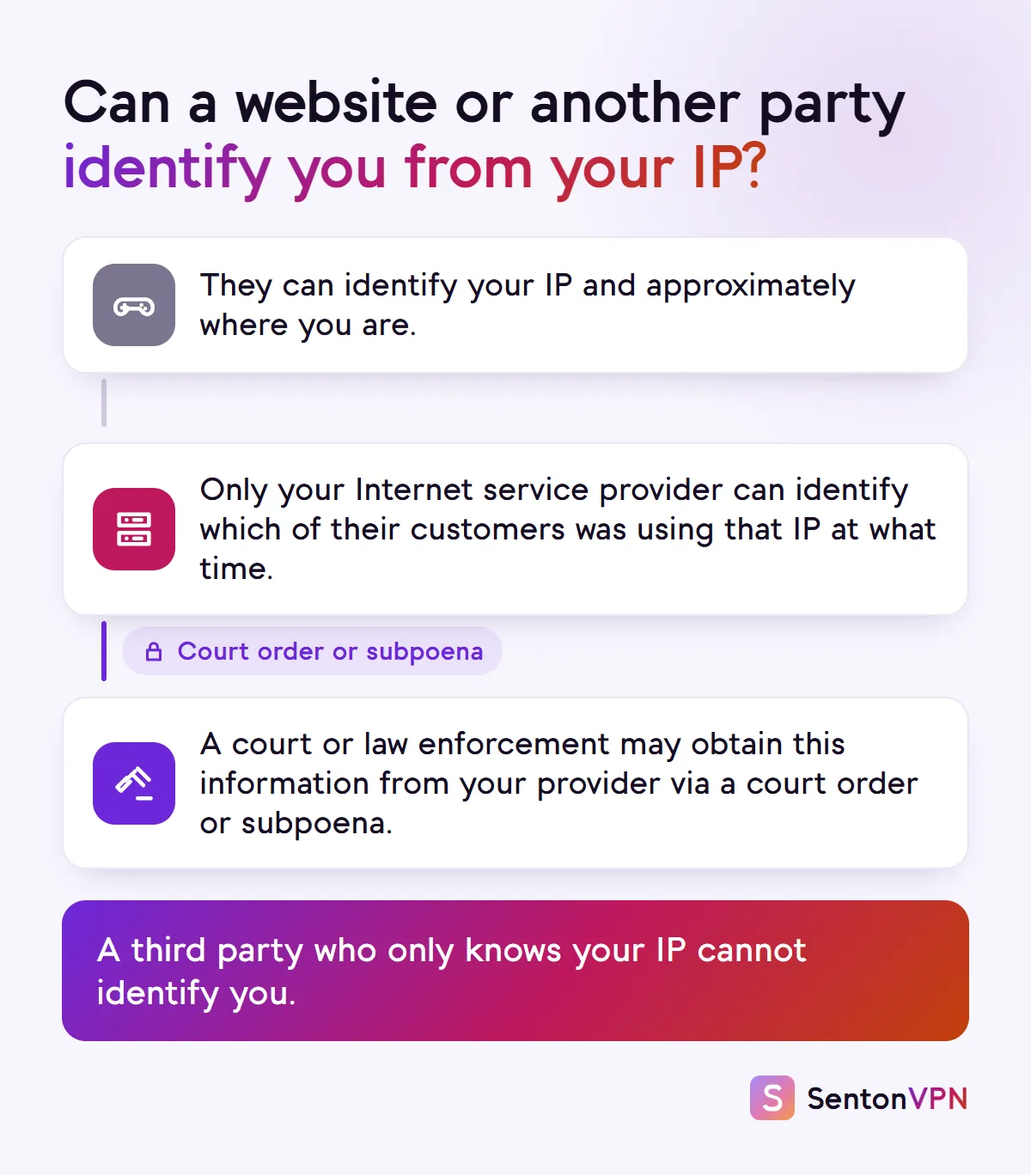
- 6.Find your name or home addressNeeds a subpoena or court orderYour Internet Service Provider has data identifying which customer was using which IP address at a given time. In the US this data can be obtained via a court order or subpoena. However, just knowing an IP address will not allow a third party to obtain this information.
Who can link your IP address to you?
Your internet service provider will assign you an IP address, and will store details of which user has which IP at what time. It is this information that links an IP address to a name. Under US law a provider can be compelled to provide information about a temporarily assigned IP address as part of a subscriber record as a result of a subpoena. This can be used by law enforcement and the courts. However it cannot be used by an arbitrary person over the internet.
A further party that can link an IP to a user are the services that a user is signed into. For example if a user is signed into a game, social network or online shop then every time the user visits these services the service will have the user's IP address associated with their account details.
Common myths about IP addresses
Is it dangerous if someone has your IP address?
For most people this isn't the case. An IP address is not a user's identity nor is it a password. Simply seeing a user's IP address does not give any access to a user's accounts or devices. The two main issues are loss of service through a DDoS attack (this is often only whilst the attack is ongoing) and an insecure router being exposed to the internet.

What to do if someone has your IP address
Here is how to respond if someone knows your IP address.
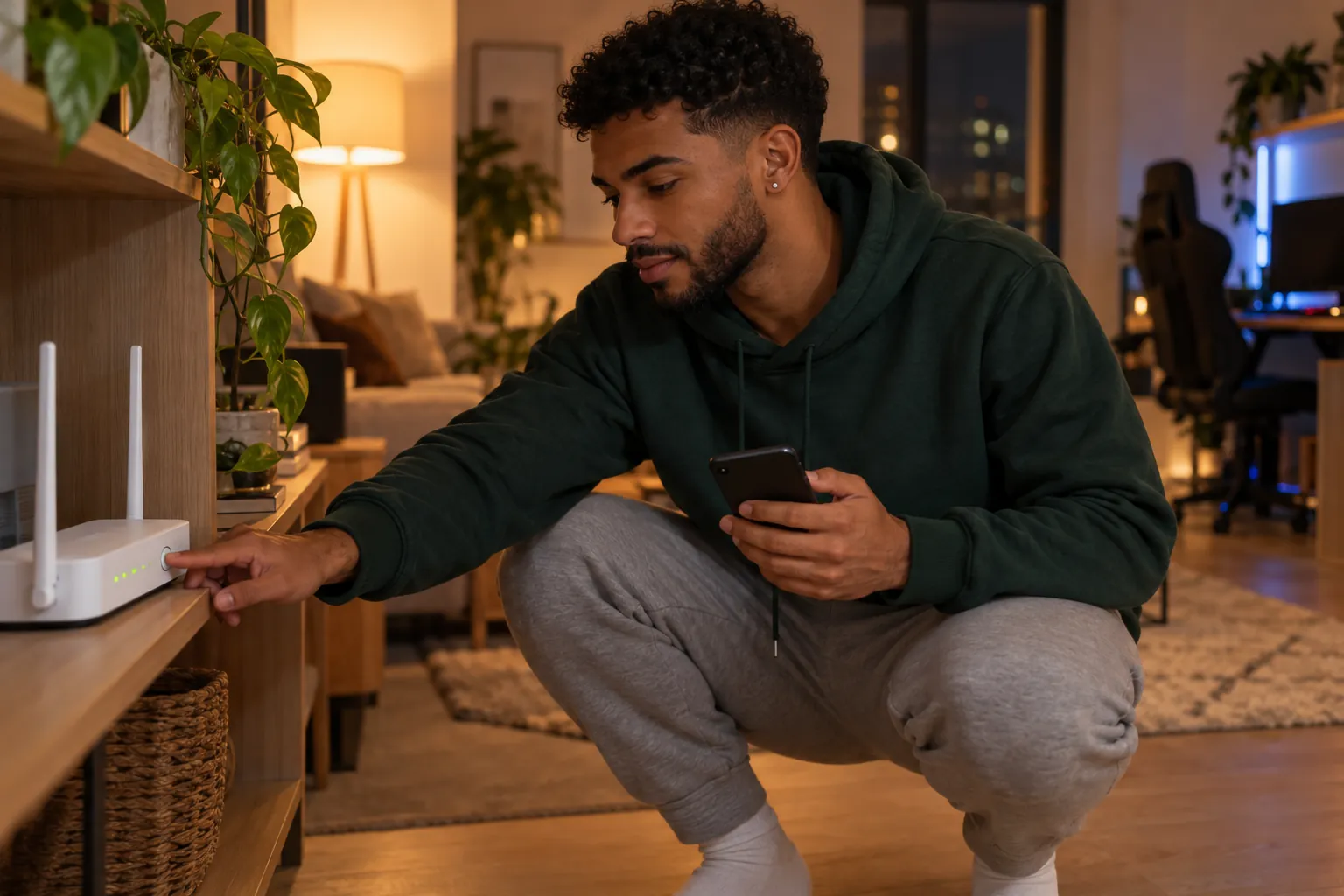 1Router restartedOld IP198.51.100.24New IP203.0.113.57Step 1Get a new IP addressIf you have a home internet connection, you might receive a dynamic IP address from your internet service provider. Some service providers assign new IP addresses upon restart of your router. If they do not, they can often assign a new IP address to you at their discretion.
 2Router settingsAdmin passwordFirmwareUp to dateStep 2Lock down your routerUpdate firmware on your router. Change the default administrator account and password. Both of these are recommended by CISA. Default credentials are often publicly available. Firmware updates can help eliminate known vulnerabilities.
 3Software updateUp to dateStep 3Keep your devices updatedUpdate all applications and operating systems on your game console, computer, smartphone, and any other devices you use. Many attacks exploit known vulnerabilities. Updates aim to eliminate these vulnerabilities.
 4
4 Senton VPNConnectedStep 4Turn on a VPNWhen using a VPN, the IP address others see is that of the VPN server rather than your home IP address. This will allow you to keep your new IP address hidden.
 5Senton VPNConnectedKill SwitchStep 5Keep Kill Switch onIf the connection to the VPN fails, Kill Switch will block supported data instead of allowing it to be routed via your existing connection, which would reveal your actual IP address.
Does a VPN hide your IP address?
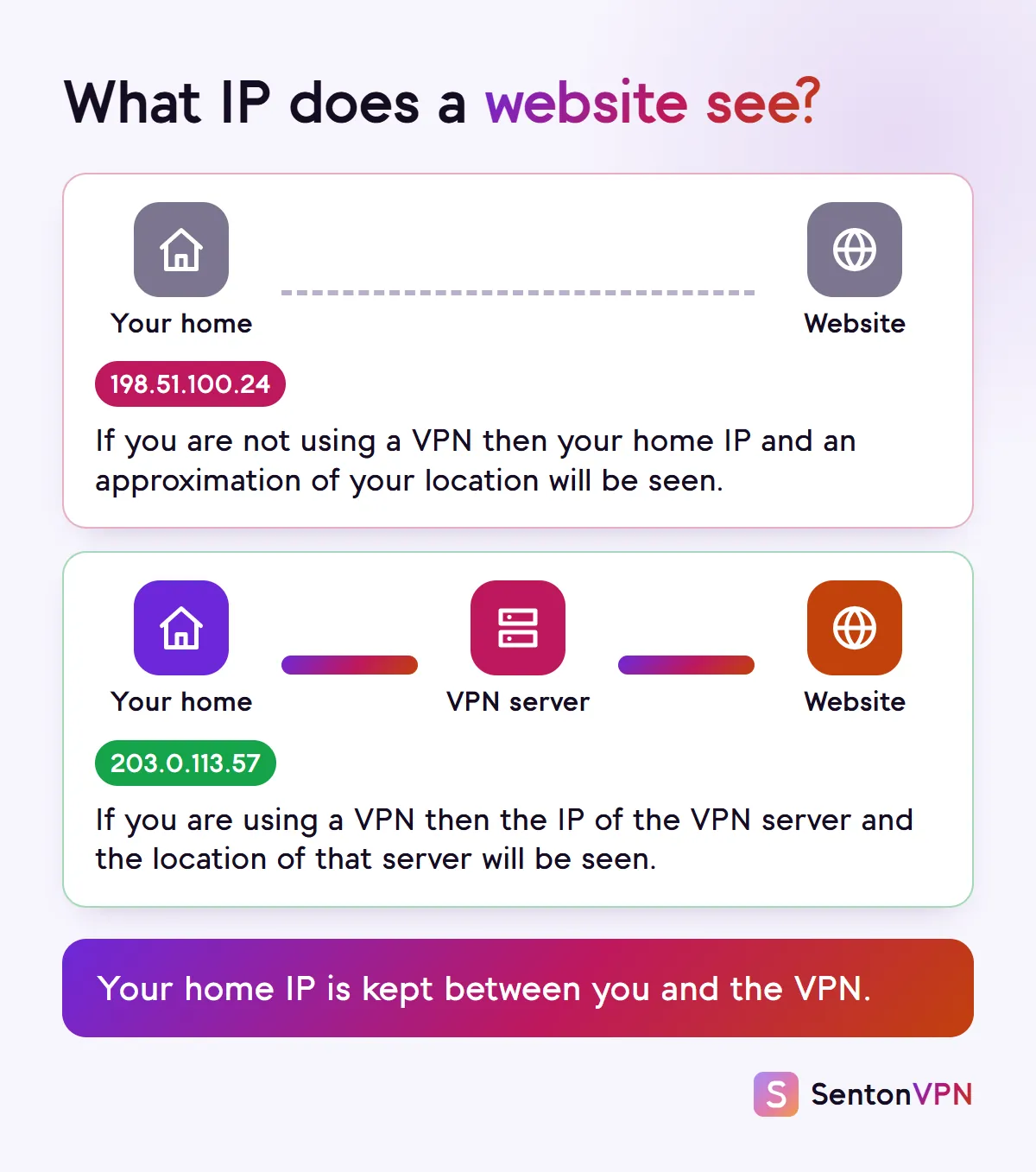
Yes, for the data that is routed via the VPN. A VPN encrypts your data and routes it through a connection to a server operated by the VPN service. When a website or other party connects to you, they will connect to the IP address of the VPN server rather than your home IP address. Your internet service provider will be aware that you are using a VPN but will not know what websites you are connecting to via the encrypted tunnel.
What a VPN covers
- Helps mask your home IP address from websites and services you use
- Helps mask your approximate physical location as the location of the server that you are connected to is visible to websites
- Helps mask your actual IP from peers and other parties connected via the tunnel
What a VPN does not cover
- Does not prevent identification during login to sites
- Does not alter your browser fingerprint or remove cookies
- Does not alter location information shared with sites that request access to your location information
- Will not hide a home IP address that is already known. Only a new IP address from your ISP will help with that
How Senton helps
- Senton VPN: for the Chrome extension (browser traffic) and the Android app, websites will view the IP address of our server rather than yours
- Kill Switch enables protection from dropped connections on supported traffic on both the Chrome extension and Android app
- Our free What is my IP service can display the current IP address and its general location as viewed by websites before and after connection to the service
The bottom line
- An IP address can show your approximate city and your internet service provider but does not identify your name or residence
- The actual threats are a weak home router, DDoS attacks, bans and tracking
- A VPN, updates to your router and a locked down router will handle the majority of these threats