
Right-sized packets. Smoother connections.
With Packet Size Optimization, Senton VPN matches the packet size to the data path in use, cutting avoidable fragmentation and retransmission where the platform supports it.
Results may vary depending upon the device, the operating system, network conditions, the VPN location and the active connection path.

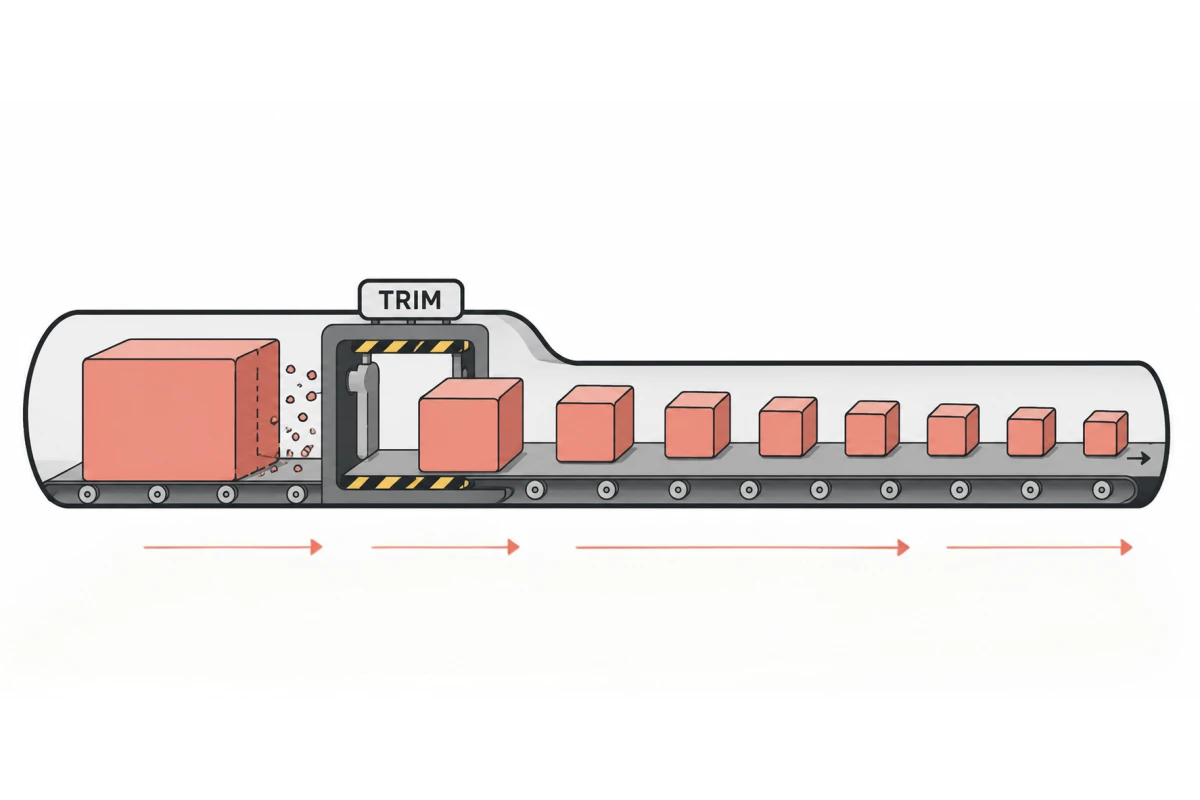
What is Packet-size Optimization?
Data is transported across the internet in small packets. Each network path has a limit on the packet size it can carry without extra work.
If the packet size does not suit the data connection, extra handling such as fragmentation, retransmission or failed delivery can occur.
Senton’s VPN packet size optimization, also known as NetBoost, will apply a packet size suited to the current VPN connection.
- Cuts avoidable fragmentation
- Supports more efficient packet delivery
- Adapts to supported connection conditions
- Works through supported Senton applications
- Does not increase your internet plan's bandwidth
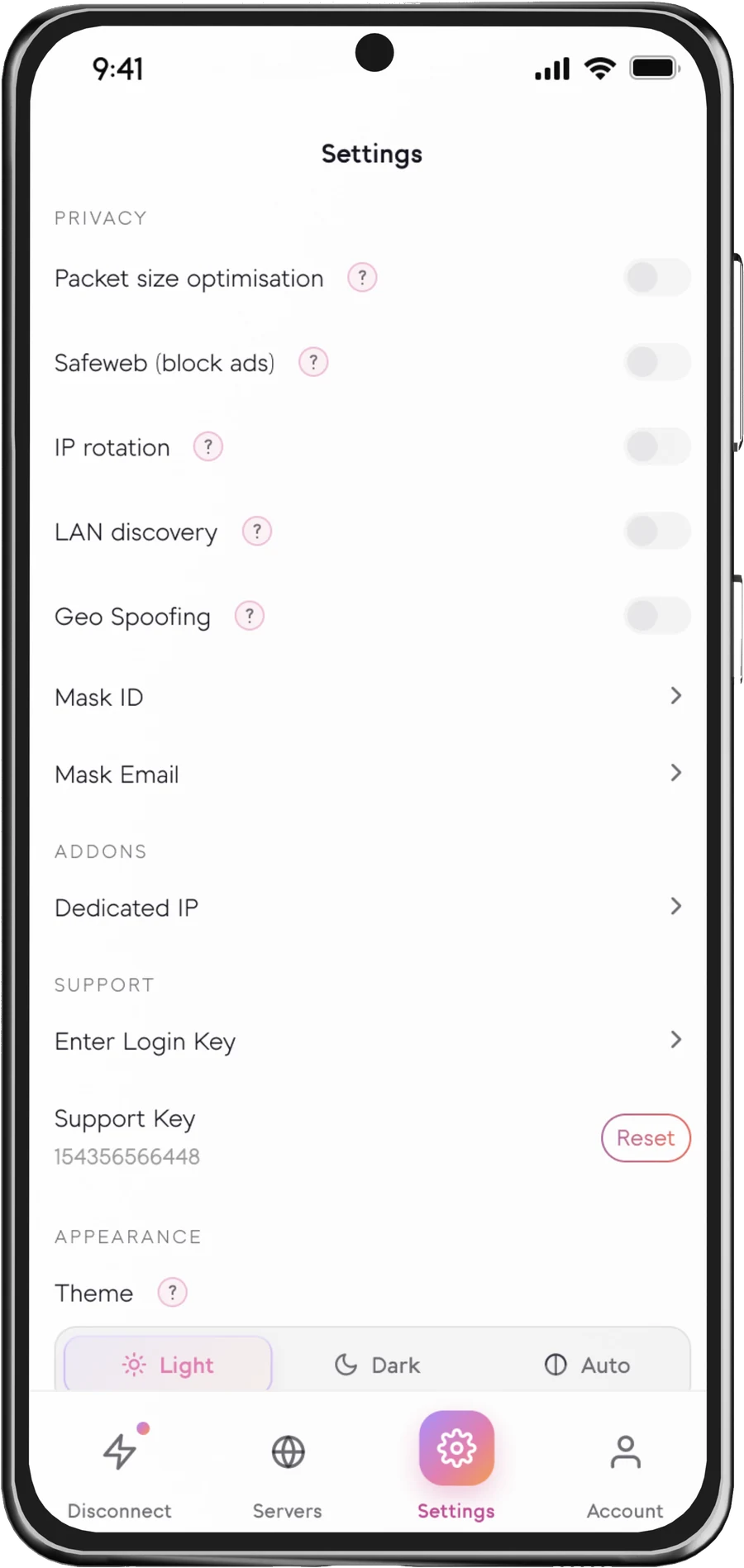
Packet size in the Senton VPN app
Where the setting lives on each platform.
Why packet size matters
No single packet size will be the best size for all devices and networks, which is why the adjustment of the MTU is performed for you when using Senton VPN.
How Packet-size Optimization works
Useful across different network conditions
What optimization can improve
The right packet size depends on the path
- Fragmentation
- More likely
- Header overhead
- Lower per-packet
- Delivery
- May fragment on strict paths
- Fragmentation
- Less likely
- Header overhead
- Balanced
- Delivery
- Suits many paths
- Fragmentation
- Unlikely
- Header overhead
- Higher (more headers)
- Delivery
- More packets required
Illustration only. The appropriate packet size will depend on the protocol, network, device and platform.
What Packet-size Optimization cannot guarantee
- Avoidable packet fragmentation
- Unsuitable packet sizing
- Some retransmission overhead
- Connection behaviour on constrained paths
- Slow internet plans
- Heavy network congestion
- Weak mobile signals
- Distant VPN locations
- Overloaded websites
- Device-performance limitations
- Every source of packet loss
- Every source of latency
- Every source of jitter
Packet-size Optimization availability
The availability of this function will depend on the Senton application and the operating environment.
 AndroidSupported
The packet size will be applied to the Android VPN connection. How it is applied depends on the current configuration and network.
 Chrome extensionSupported
Available in Chrome. Packet size is tuned for the traffic the extension handles, which helps on connections that struggle with larger packets.
App behaviour depends on the device and operating environment. Additional platforms will be listed here when available.
Use Packet-size Optimization
On supported connections, it is automatically applied and there is nothing else to switch on.
Works with other Senton VPN connection features
Frequently asked questions
MTU stands for maximum transmission unit. It is the size of the largest packet a network path can handle without extra work.
No. If a packet is too large, it may need to be fragmented or even retransmitted. If a packet is unnecessarily small, it creates extra overhead in the network.
There is no one size that is going to be ideal for every device and every network. It will depend upon the protocol, the operating system and the active network path.
Packet loss occurs when packets do not reach their destination. This can happen due to network congestion, signal weakness, faulty hardware, too long a route for the packets to travel or unsuitable packet sizing.
Sometimes, and sometimes the opposite. Routing through Senton VPN takes your traffic along a different route, which can help when the loss sits between your provider and the destination. It also adds a hop, so a distant or busy VPN location can make loss worse. If the packet loss is on your own connection, from a weak signal or faulty hardware, Senton VPN will not be able to help.
No, but it does make packet sniffing significantly less useful. A VPN cannot stop someone from sniffing your packets on the network, but it encrypts the information contained in those packets, so a sniffer sees traffic heading to a Senton VPN server rather than the sites you visit. All traffic excluded via Bypasser is not covered.
There is no manual control for setting the MTU. Senton VPN handles the sizing of packets on supported connections rather than leaving you to adjust the MTU manually, and any control available depends on the specific application.
No. Packet compression shrinks the data carried inside a packet, which is a different technique. Senton VPN optimises the size of the packets themselves rather than compressing what they carry.
Make every packet count.
Start your 7-day trial of Senton VPN and use Packet-size Optimization on your supported connections.